
How Google Indexing Works Step by Step
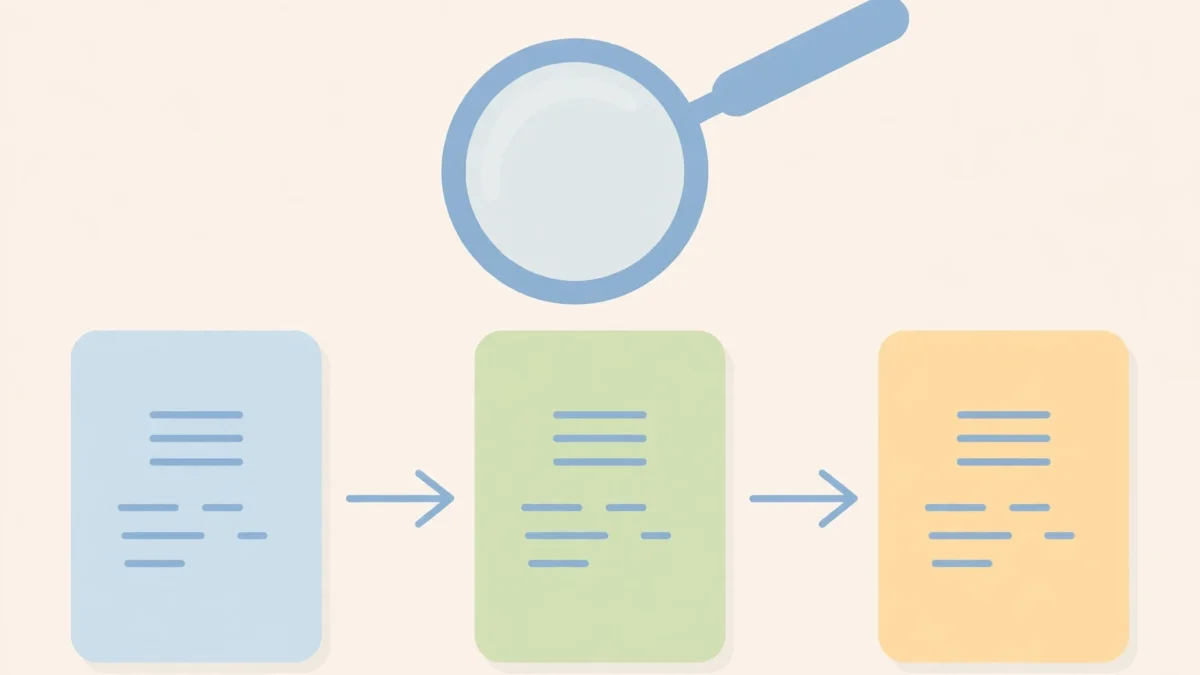
The vast expanse of the internet is a complex web of information, and finding what you need within it can feel like searching for a needle in a digital haystack. This is where search engines, primarily Google, play a vital role. At the heart of Google’s ability to deliver relevant search results lies a sophisticated process known as indexing. Understanding how Google indexing works step by step is crucial for anyone with an online presence, whether you manage a personal blog, an e-commerce store, or a large corporate website. Indexing is not just about a page existing on the internet; it’s about that page being discovered, processed, understood, and ultimately stored in Google’s massive database, ready to be presented to users searching for related information. Without proper indexing, even the most valuable content remains invisible to search engines and, consequently, to potential visitors. This guide will meticulously break down the entire journey of a webpage from its creation to its inclusion in Google’s index.
The Foundation: Discovery and Crawling
Before Google can even consider adding a webpage to its index, it must first find that page. This initial discovery process is called crawling, and it is the very first step in how Google indexing works step by step. Crawling is essentially Googlebot’s tireless journey across the internet, following links and exploring new content to identify what exists.
What is Crawling?
Crawling is the automated process by which Google’s software, known as spiders or crawlers (collectively called Googlebot), discovers new and updated web pages. These bots visit websites, read their content, and follow links on those pages to find more pages. It’s an ongoing, cyclical process that continuously updates Google’s understanding of the internet’s current state.
Think of Googlebot as a persistent librarian, meticulously scanning every book on every shelf in the world’s largest library. It notes down titles, authors, and even some content snippets, ensuring that no new book or updated edition goes unnoticed. This initial scan is critical because if Googlebot cannot find or access your page, it can never be indexed.
How Google Finds Pages (Seeds, Links, Sitemaps)
Googlebot doesn’t just wander aimlessly. It employs several sophisticated mechanisms to discover new URLs. Understanding these methods can help you ensure your content is found efficiently.
Initial Seed URLs
Google starts with a list of known URLs from previous crawls and sitemaps. These are its “seed” URLs. From these starting points, Googlebot begins its exploration, much like a traveler starting a journey from a familiar map location. These seeds are regularly updated and expanded.
These seed lists are constantly refined and expanded. They form the initial known universe from which Googlebot explores, ensuring that established and important websites are always revisited and new content is swiftly picked up.
Following Hyperlinks
The most common way Google discovers new pages is by following hyperlinks from pages it has already crawled and indexed. When Googlebot processes a page, it extracts all the links on that page and adds them to a queue of URLs to be crawled next. This interconnected web of links is the backbone of Google’s discovery mechanism.
This is why internal linking (linking between pages on your own website) and external linking (getting links from other reputable websites) are so important. They serve as pathways for Googlebot, guiding it to your content. A page with no internal or external links pointing to it is often called an “orphan page” and is much harder for Google to discover.
XML Sitemaps
An XML sitemap is a file on your website that lists all the URLs you want search engines to crawl and index. It acts as a direct roadmap for Googlebot, providing an organized list of your site’s content, including metadata about each URL (like when it was last updated or its priority). While sitemaps don’t guarantee indexing, they significantly improve the chances of your pages being discovered, especially for new sites or sites with complex structures.
Sitemaps are particularly beneficial for large websites, websites with many dynamically generated pages, or websites with a shallow internal linking structure. They ensure that Google has a comprehensive list of all your important pages, even if they aren’t easily discoverable through traditional link following. It’s a proactive way to communicate your site’s structure.
The Role of Googlebot (Types of Crawlers)
Googlebot is not a single entity but a collection of various crawlers, each with a specific purpose. Recognizing these different bots helps in understanding how Google interacts with your site.
- Googlebot Smartphone: This is the primary crawler Google uses for indexing, simulating a mobile user. It’s crucial for mobile-first indexing, meaning Google predominantly uses the mobile version of your content for indexing and ranking.
- Googlebot Desktop: Less frequently used for primary indexing, but still crawls websites to understand desktop experiences.
- Googlebot Image: Crawls images to process them for Google Images.
- Googlebot Video: Discovers and processes videos for Google Video search.
- Googlebot News: Crawls articles for Google News.
- AdsBot-Google: Checks the landing page quality for Google Ads.
Each Googlebot type adheres to the instructions laid out in your site’s robots.txt file, which specifies which parts of your site should or should not be crawled by specific bots. This granular control allows webmasters to manage their crawl budget effectively and prevent search engines from wasting resources on unimportant pages.
Crawl Budget: Understanding Its Importance
Crawl budget refers to the number of URLs Googlebot can and wants to crawl on your site within a given timeframe. It’s not an unlimited resource. Google aims to crawl as much valuable content as possible without overwhelming your server or wasting its own resources on low-quality or duplicate pages.
If your site has a low crawl budget, Google might not discover all your important pages, especially on large sites with frequent updates. Maximizing your crawl budget means ensuring Googlebot spends its time crawling pages that matter most to your business.
Factors Influencing Crawl Budget
- Site Size: Larger sites generally have a larger crawl budget.
- Site Health: Fast-loading sites with few errors (like 404s) tend to get crawled more frequently. Server response time is a significant factor.
- Update Frequency: Sites that frequently publish new content or update existing pages often receive more attention from Googlebot.
- PageRank/Authority: More authoritative pages and sites are crawled more deeply and frequently.
- Duplicate Content: A high volume of duplicate or near-duplicate content can lead to Google wasting crawl budget on redundant pages.
- Robots.txt Directives: Properly configured robots.txt files can help guide Googlebot away from unimportant sections, conserving budget for essential pages.
Effectively managing crawl budget is crucial for larger websites or those with dynamic content that changes frequently. It ensures that Google prioritizes the content you want indexed and minimizes the time spent on less critical parts of your site.
Practical Tips for Better Crawling
Improving how Googlebot crawls your site can significantly impact your indexing success. Here are some actionable steps:
- Create and Submit XML Sitemaps: Ensure your sitemap is up-to-date and submitted through Google Search Console.
- Optimize Internal Linking: Use descriptive anchor text and ensure all important pages are linked from other relevant pages on your site.
- Improve Site Speed: Faster loading times allow Googlebot to crawl more pages in less time.
- Fix Broken Links and Redirect Chains: Eliminate 404 errors and reduce the number of redirects to improve crawl efficiency.
- Manage Your Robots.txt File: Block crawlers from accessing irrelevant or duplicate content (e.g., admin pages, search result pages, low-value category filters).
- Consolidate Duplicate Content: Use canonical tags or 301 redirects to tell Google the preferred version of a page.
- Regularly Monitor Crawl Stats: Use Google Search Console to keep an eye on your crawl rate and identify any issues.
By implementing these strategies, you can guide Googlebot more effectively, ensuring it discovers your valuable content and spends its crawl budget wisely. This proactive approach sets a strong foundation for the subsequent indexing steps.
Processing and Rendering
Once Googlebot has crawled a page, the next critical phase in how Google indexing works step by step is processing and rendering. This stage goes beyond simply fetching the HTML content; it involves understanding what the page truly looks like and does, especially with modern, JavaScript-heavy websites.
The Rendering Process: Beyond Simple HTML
In the early days of the web, most websites were built with static HTML and CSS. Googlebot could simply read the HTML code, extract the text and links, and move on. However, the modern web is dynamic, heavily reliant on JavaScript to build user interfaces, fetch content, and create interactive experiences.
Google has evolved its crawling and indexing capabilities to adapt to this change. When Googlebot encounters a JavaScript-driven page, it doesn’t just look at the initial HTML. It queues the page for rendering. Rendering means Googlebot essentially acts like a web browser: it executes the JavaScript, fetches additional resources (like CSS, fonts, and images), and builds the full Document Object Model (DOM) of the page.
This process is resource-intensive for Google, as it requires processing power to simulate a browser environment. It’s a significant departure from simply reading raw HTML and highlights Google’s commitment to understanding the true content users experience.
JavaScript Execution and Dynamic Content
Many modern websites use JavaScript to load main content, display product listings, or even entire sections of a page. If this JavaScript isn’t executed, Googlebot might only see an empty or incomplete page, leading to missed content and poor indexing. Google’s rendering service, a component of Googlebot, uses a headless Chromium browser (the same engine that powers Google Chrome) to execute JavaScript.
This means that any content or links generated by JavaScript after the initial page load will be visible to Googlebot, provided there are no errors during execution. This capability is vital for single-page applications (SPAs) and sites that heavily rely on client-side rendering frameworks like React, Angular, or Vue.js.
However, JavaScript execution is not instantaneous. There can be a delay between when a page is crawled and when its JavaScript is fully rendered and processed. This “two-wave” indexing approach means Google might initially index the raw HTML content, then later update its index with the fully rendered content. This delay can sometimes impact the freshness of indexed content for highly dynamic pages.
What Happens During Rendering? (DOM Construction, CSS, JS)
When Googlebot renders a page, it performs several key actions:
- Fetches Initial HTML: It first retrieves the raw HTML document from the server.
- Identifies Resources: It parses the HTML for references to other resources, such as CSS stylesheets, JavaScript files, images, and fonts.
- Queues Resource Fetches: These identified resources are then added to the crawling queue for retrieval.
- Executes JavaScript: Once the necessary JavaScript files are fetched, Googlebot executes them in a sandboxed environment. This JavaScript can modify the DOM, fetch data from APIs, and essentially build the final visible structure and content of the page.
- Applies CSS: CSS files are applied to style the page, helping Google understand the visual layout and potentially identify important content blocks.
- Constructs the Rendered DOM: After all JavaScript has executed and CSS has been applied, Googlebot constructs the final rendered DOM (Document Object Model). This DOM represents the page exactly as a user would see it in a browser, including all dynamic content.
- Extracts Information: From this rendered DOM, Google extracts the final text content, all visible links, and structural information for subsequent indexing steps.
This comprehensive rendering process ensures that Google sees the same content and user experience as a human visitor, allowing for more accurate indexing and ranking, especially for visually rich or interactive pages.
Common Rendering Issues and How to Avoid Them
Despite Google’s advanced rendering capabilities, issues can arise that prevent your content from being fully seen or understood.
- Blocked Resources: If your robots.txt file blocks Googlebot from accessing critical CSS or JavaScript files, Google cannot fully render your page. This can lead to a “degraded” view of your content.
- Slow Loading JavaScript: If your JavaScript takes a long time to execute or relies on slow API calls, Googlebot might time out before all content is loaded, resulting in incomplete rendering.
- Server Errors During Resource Fetch: If your server returns 4xx or 5xx errors for critical CSS/JS files, Googlebot won’t be able to fetch them, preventing proper rendering.
- Client-Side Errors: JavaScript errors on your page can halt rendering, leaving content undiscovered.
- Obfuscated or Malicious JavaScript: Google might struggle to process overly complex or intentionally obscured JavaScript, or it might flag potentially malicious scripts.
- Lack of Graceful Degradation: If your page relies entirely on JavaScript and provides no server-rendered content, users (and older bots) without JavaScript enabled will see nothing. While Googlebot renders JS, it’s good practice to offer some initial HTML.
To avoid these issues, regularly use the URL Inspection Tool in Google Search Console. This tool shows you exactly how Googlebot sees and renders your page, highlighting any blocked resources, JavaScript errors, or other rendering problems. Ensure your critical resources are not blocked and optimize JavaScript for faster execution.
The Core of Indexing: Understanding Content
After a page has been crawled and rendered, the next crucial phase in how Google indexing works step by step is understanding its content. This isn’t just about storing text; it’s about interpreting meaning, identifying keywords, assessing quality, and organizing it for retrieval. This is where Google truly builds its knowledge base.
What is Indexing?
Indexing is the process of analyzing the content of a web page and storing it in Google’s massive, searchable database, often referred to as the Google Index. When a page is indexed, it means Google has processed its content, understood its topics, identified relevant keywords, and made it eligible to appear in search results. Without being indexed, a page is effectively invisible to Google users.
The Google Index is not just a simple list of pages. It’s a complex, highly organized data structure that allows Google to quickly retrieve billions of documents based on a user’s query. Each entry in the index includes not only the page’s content but also metadata, keywords, and other signals that help Google rank it later.
Text Extraction and Keyword Identification
Once the rendered content of a page is available, Google’s systems begin to extract all significant text. This includes headings, paragraph text, image alt attributes, and text within links. During this extraction, Google identifies important keywords and phrases, understanding the main topics and entities discussed on the page.
Google doesn’t just count keyword occurrences. It uses sophisticated natural language processing (NLP) algorithms to understand the semantic meaning and context of the words. For example, it can differentiate between “Apple” the fruit and “Apple” the company based on surrounding text. This helps Google connect a page to a wider range of related search queries, even if the exact keywords aren’t present.
The position and formatting of text also play a role. Text in headings (<h1>, <h2>, etc.) or emphasized with bold tags (<strong>) might be given more weight as indicators of the page’s primary topics. This detailed analysis ensures that Google comprehends the core message of your content.
Analyzing Content Quality and Relevance
Beyond simply extracting text, Google’s indexing systems evaluate the quality and relevance of the content. This assessment influences not only whether a page gets indexed but also how prominently it might rank later. High-quality, original, and valuable content is more likely to be fully indexed and prioritized.
Factors considered include:
- Originality: Is the content unique or largely copied from other sources? Original content is highly favored.
- Depth and Comprehensiveness: Does the content thoroughly cover its topic, providing useful information to the user?
- Authoritativeness and Trustworthiness: Does the content come from a credible source? Are there citations or references to back up claims?
- User Experience: Is the content easy to read, well-structured, and free from intrusive ads or pop-ups?
- Freshness: For certain topics, newer, updated content is more relevant.
Low-quality content, such as thin content (very little text), automatically generated content, or content stuffed with keywords, is less likely to be fully indexed or may be demoted in the index, making it harder to find.
Handling Duplicate Content and Canonicalization
Duplicate content is a significant challenge for search engines. If the same content appears on multiple URLs (either on the same site or across different sites), Google needs to decide which version is the “original” or “preferred” one to index and show in search results. Indexing multiple identical pages wastes crawl budget and can dilute ranking signals.
Google aims to consolidate signals (like links) to a single canonical version of the content. This process is called canonicalization. If you don’t explicitly tell Google which version is preferred, it will try to make its own choice, which might not always align with your intentions.
Canonical Tags
The primary method for signaling the preferred version of a page is the canonical tag (<link rel="canonical" href="[preferred-URL]" />) placed in the <head> section of your HTML. This tag tells Google, “This page is a copy or a very similar version of [preferred-URL]; please treat [preferred-URL] as the original.”
Canonical tags are crucial for e-commerce sites with product variations, pages accessible via multiple URLs (e.g., with session IDs or tracking parameters), or syndicated content. They help prevent duplicate content issues and ensure ranking signals are consolidated to the correct page.
301 Redirects
A 301 redirect (permanent redirect) is another powerful tool for canonicalization. When a page has permanently moved to a new URL, a 301 redirect tells search engines and users that the old URL is no longer valid and directs them to the new one. This passes almost all of the ranking power (link equity) from the old URL to the new one, preventing content duplication and ensuring a smooth transition.
301 redirects are essential when restructuring your site, changing domain names, or merging old content. They signal a definitive move, making it clear to Google which version of the content is the authoritative one.
Meta Tags and Their Indexing Impact
While often less critical than the content itself, certain meta tags provide important instructions and information to Google’s indexing systems.
| Meta Tag | Purpose | Impact on Indexing | Example |
|---|---|---|---|
| Meta Description | A brief summary of the page’s content, often displayed in search results. | Does NOT directly influence ranking or indexing, but impacts click-through rate (CTR) from search results. | <meta name="description" content="Learn how Google indexing works step by step..."> |
| Meta Robots | Instructions for search engine crawlers regarding indexing and link following. | Directly controls indexing. Can prevent a page from being indexed or links from being followed. | <meta name="robots" content="noindex, follow"> (Do not index this page, but follow its links) |
| Canonical Link | Specifies the preferred version of a page among duplicates. | Directly controls canonicalization. Helps Google consolidate ranking signals to one URL. | <link rel="canonical" href="https://example.com/preferred-page"> |
| Title Tag | The title of the document, displayed in browser tabs and search results. | Strong ranking signal and a primary indicator of page topic. Heavily influences indexing and CTR. | <title>How Google Indexing Works Step by Step | Your Website</title> |
| Meta Keywords | A list of keywords relevant to the page (largely deprecated). | No impact on Google indexing or ranking. Google explicitly stated they ignore it. | <meta name="keywords" content="indexing, SEO, Google"> (Avoid using) |
The meta robots tag, in particular, is a powerful directive. A “noindex” instruction tells Google explicitly not to include the page in its index, preventing it from appearing in search results. Understanding these tags and using them correctly is vital for fine-tuning your indexing strategy.
Organizing the Index: The Google Index Database
After Google has crawled, rendered, and understood the content of a webpage, the final stage in how Google indexing works step by step is storing this processed information. This is where the Google Index database comes into play, a massive, highly optimized system designed for rapid retrieval of information.
How Information is Stored
The Google Index is not just a collection of webpages. It’s a highly sophisticated, distributed database that contains billions of web pages and trillions of facts about them. When a page is indexed, Google doesn’t store the entire HTML file. Instead, it extracts key pieces of information, analyzes them, and stores them in a structured way that allows for incredibly fast searching.
Each entry in the index might include:
- The URL of the page.
- All the words on the page, along with their positions, font sizes, and other formatting.
- Metadata, such as the title tag, meta description, and canonical tags.
- Information about images, videos, and other media on the page.
- Links present on the page, both internal and external.
- Information about the page’s overall quality and relevance, based on various signals.
- Structured data (Schema.org markup) detected on the page.
This structured storage allows Google to quickly match user queries to relevant documents without having to re-crawl or re-analyze every page for every search.
Inverted Index Structure
At its core, the Google Index (and most search engine indexes) utilizes an “inverted index” structure. Instead of listing documents and then the words they contain, an inverted index lists words and then the documents (and their positions within those documents) that contain those words.
Imagine a traditional book index that lists topics and then the pages where those topics appear. An inverted index for the web works similarly but on a colossal scale. For example, for the word “indexing,” the inverted index would point to every web page in Google’s database that contains that word, along with details like how many times it appears, its prominence (e.g., in a heading), and its proximity to other words.
This structure is incredibly efficient for search queries. When you type “how Google indexing works” into the search bar, Google doesn’t scan billions of pages. Instead, it immediately goes to the entries for “how,” “Google,” “indexing,” and “works” in its inverted index, finds the pages that contain all or most of these terms, and then quickly processes those specific pages to determine relevance and ranking.
The Importance of Freshness and Updates
The internet is constantly changing, with new content being published and old content being updated or removed. For its index to remain useful and relevant, Google must continuously update it. This is why crawling is an ongoing process. Googlebot frequently revisits previously crawled pages to check for changes.
When changes are detected, the affected pages are re-processed, re-rendered, and their entries in the index are updated. This ensures that when a user searches, they receive the most current and accurate information available. The speed at which Google updates its index for a particular page depends on several factors, including the page’s authority, how frequently it changes, and its overall importance.
For highly dynamic content, such as news articles or stock prices, Google aims to update its index almost in real-time. For static, less frequently updated pages, the re-indexing cycle might be longer. The balance between maintaining freshness and optimizing resources is a continuous engineering challenge for Google.
Removing Content from the Index
Just as content is added to the index, it can also be removed. This might happen for several reasons, and understanding the mechanisms for removal is as important as understanding those for inclusion.
- Noindex Directive: If a page contains a
<meta name="robots" content="noindex">tag or anX-Robots-Tag: noindexHTTP header, Google will remove it from the index the next time it crawls the page. - Page Removal (404/410): If a page returns a 404 (Not Found) or 410 (Gone) HTTP status code, Google will eventually remove it from the index. A 410 can sometimes signal to Google that the removal is intentional and permanent, leading to faster de-indexing.
- Robots.txt Block: While
robots.txtprevents crawling, it does not guarantee de-indexing if the page was already indexed. However, if a page is blocked from crawling, Google cannot revisit it to see a “noindex” tag or a 404. It may eventually drop from the index if no external links point to it, but it’s not a direct de-indexing mechanism. - Google Search Console Removal Tool: For urgent removal requests (e.g., sensitive information), the URL Removal Tool in Google Search Console allows you to temporarily block a page from appearing in search results for about six months. You would then need to implement a “noindex” tag or a 404/410 to ensure permanent removal.
- Manual Actions: If a site violates Google’s Webmaster Guidelines (e.g., spamming, cloaking), Google may issue a manual action, leading to some or all pages being de-indexed.
Managing what stays in the index and what is removed is a crucial part of SEO, ensuring that only valuable, relevant content is discoverable by users.
Beyond Indexing: Ranking Signals and Retrieval
While the process of how Google indexing works step by step focuses on getting content into Google’s database, simply being indexed isn’t enough to guarantee visibility. Once a page is in the index, it then competes with billions of other pages for a spot on the first page of search results. This is where ranking comes into play, a complex process that leverages the indexed information.
The Relationship Between Indexing and Ranking
Indexing is a prerequisite for ranking. A page *must* be in Google’s index to even have a chance of appearing in search results. However, being indexed does not automatically mean a page will rank highly. It merely means the page is eligible to rank.
Think of the index as a vast library. Indexing is the process of getting a book into that library and cataloged. Ranking, on the other hand, is the librarian’s ability to quickly find the *most relevant and authoritative* book for a specific question, placing it on a prominent display. If a book isn’t cataloged (indexed), it can never be found, no matter how good it is.
Google’s ranking algorithms analyze hundreds of factors, often called “ranking signals,” to determine the most appropriate order of indexed pages for any given search query. These signals are applied *after* a page has been indexed.
Key Ranking Factors (Brief Overview)
Google’s ranking algorithms are constantly evolving and encompass a multitude of factors. While the exact weighting of each factor is a closely guarded secret, here are some of the well-known categories:
- Relevance: How well does the content of the page match the user’s search query? This involves semantic understanding, keyword presence, and topical authority.
- Quality and Authority: Is the content high-quality, trustworthy, and comprehensive? Signals like backlinks from authoritative sites, E-E-A-T (Experience, Expertise, Authoritativeness, Trustworthiness), and positive user engagement play a role.
- User Experience: Factors like page speed, mobile-friendliness, ease of navigation, core web vitals (LCP, FID, CLS), and absence of intrusive interstitials contribute to a good user experience.
- Backlinks: The quantity and quality of links pointing to a page from other reputable websites are a strong indicator of its importance and authority.
- Internal Links: The internal link structure helps Google understand the hierarchy and importance of pages within your own site.
- Content Freshness: For time-sensitive queries, newer content is often preferred.
- Geographic Location: For local searches, Google prioritizes results relevant to the user’s physical location.
- Search Intent: Google tries to understand the user’s intent (e.g., informational, transactional, navigational) and provide results that best satisfy that intent.
Optimizing for these factors is what SEO is largely about. It’s about making your indexed content the best possible answer to a user’s query, thereby improving its chances of ranking highly.
How Search Queries Interact with the Index
When a user types a query into Google, a sophisticated process unfolds in milliseconds:
- Query Interpretation: Google first analyzes the search query, understanding its intent, identifying keywords, synonyms, and related concepts. It might correct misspellings or suggest alternative phrasings.
- Index Retrieval: Based on the interpreted query, Google’s algorithms quickly query the inverted index to retrieve all relevant documents. This is where the power of the organized index truly shines, allowing for near-instantaneous access to billions of potential results.
- Ranking Application: The retrieved documents are then run through Google’s ranking algorithms. These algorithms apply the hundreds of ranking signals mentioned above to score and order the pages by their perceived relevance, quality, and authority for that specific query.
- SERP Generation: Finally, Google generates the Search Engine Results Page (SERP), displaying the ranked list of results, often including featured snippets, knowledge panels, images, videos, and local packs, tailored to the user’s query and context.
This entire process, from query to SERP, is a testament to the efficiency and complexity of Google’s indexing and ranking systems. The quality of the index directly impacts the quality of the search results, making accurate and comprehensive indexing a foundational element of Google’s success.
Tools and Techniques for Indexing Control
For webmasters and SEO professionals, having tools to monitor and influence how Google indexing works step by step is crucial. Google provides robust resources and directives that allow you to guide Googlebot and gain insights into your site’s presence in the index.
Google Search Console: Your Indexing Hub
Google Search Console (GSC) is a free web service by Google that helps you monitor, maintain, and troubleshoot your site’s presence in Google Search results. It’s the primary interface between your website and Google’s indexing systems.
URL Inspection Tool
This powerful tool in GSC allows you to check the indexing status of any URL on your site. You can:
- See if a URL is indexed, why it might not be, or if it has any errors.
- Request indexing for a new or updated page, prompting Googlebot to crawl it sooner.
- Test a live URL to see how Googlebot renders the page, including any JavaScript execution issues.
- View the canonical URL Google selected for your page.
Regularly using the URL Inspection tool is essential for quickly diagnosing indexing problems and ensuring your most important content is discoverable.
Sitemaps Report
The Sitemaps report in GSC lets you submit new XML sitemaps to Google and monitor the status of existing ones. You can see:
- How many URLs Google discovered from your sitemap.
- How many of those URLs were actually indexed.
- Any errors Google encountered while processing your sitemap.
This report provides valuable insights into whether Google is efficiently discovering all the pages you deem important.
Core Web Vitals
GSC also reports on Core Web Vitals, which are metrics related to user experience and page speed (Largest Contentful Paint, First Input Delay, Cumulative Layout Shift). While not directly an indexing tool, improving these metrics can indirectly boost your crawl budget and improve the likelihood of your pages being prioritized in the index due to better user experience signals.
Robots.txt: Guiding Googlebot
The robots.txt file is a text file located in the root directory of your website (e.g., yourdomain.com/robots.txt). It provides instructions to web crawlers about which parts of your site they are allowed or not allowed to crawl.
Key directives:
User-agent: [crawler-name]: Specifies which crawler the following rules apply to (e.g.,Googlebot,*for all crawlers).Disallow: /folder/: Tells crawlers not to visit any URLs within that folder.Allow: /folder/page.html: Can be used to allow specific files within a disallowed folder.Sitemap: [sitemap-URL]: Specifies the location of your XML sitemap.
Common Mistakes:
Blocking important CSS or JavaScript files can prevent Google from properly rendering your page. Accidentally disallowing entire sections of your site, or even the whole site, is another common error that severely impacts indexing. Remember, robots.txt prevents crawling, not indexing. If a page is blocked by robots.txt but linked to from elsewhere, it might still appear in search results without a description (a “no snippet” result).
Meta Robots Tags: Specific Page Instructions
While robots.txt provides sitewide or directory-level instructions, meta robots tags give page-specific commands. These tags are placed in the <head> section of an individual HTML page.
<meta name="robots" content="noindex">: Tells search engines not to index this specific page. The page can still be crawled.<meta name="robots" content="nofollow">: Tells search engines not to follow any links on this page. The page itself can still be indexed.<meta name="robots" content="noarchive">: Prevents search engines from showing a cached link for the page.<meta name="robots" content="nosnippet">: Prevents search engines from displaying a text snippet or video preview in the search results.<meta name="robots" content="index, follow">: This is the default behavior, explicitly telling Google to index the page and follow its links. Often unnecessary, but can be used for clarity.
These tags offer precise control over how individual pages are handled in the indexing process. They are particularly useful for pages you want accessible to users but not discoverable through search, such as privacy policies, thank-you pages, or internal search result pages.
Nofollow and Norel Links
The rel="nofollow" attribute can be added to individual <a> tags to suggest to Google that the link should not pass PageRank or influence the target’s ranking. Similarly, rel="sponsored" or rel="ugc" (User Generated Content) can provide more specific signals about the nature of the link.
While Google historically treated nofollow as a directive, it now treats nofollow, sponsored, and ugc as hints. This means Google *may* still follow these links or use them for indexing purposes if it deems it necessary. However, for outbound links you don’t endorse or for paid links, using these attributes is still a best practice to maintain the integrity of your site’s link profile.
Best Practices for Managing Indexing
To effectively manage how Google indexes your site, consider these best practices:
- Audit Your Site Regularly: Use GSC’s Coverage report to identify pages that are not indexed or have errors.
- Prioritize Critical Content: Ensure your most important pages are easily discoverable, internally linked, included in sitemaps, and not blocked by
robots.txtornoindextags. - Handle Duplicates: Use canonical tags or 301 redirects consistently to prevent duplicate content issues.
- Optimize for Mobile-First: As Google primarily uses mobile-first indexing, ensure your mobile site is fully crawlable and renderable.
- Monitor Server Health: A healthy, fast-responding server is crucial for efficient crawling and indexing.
- Keep Sitemaps Updated: Especially for large sites or those with frequent content changes.
- Test Robots.txt: Use GSC’s
robots.txttester to ensure your directives are not inadvertently blocking important content. - Remove Old, Low-Quality Content: Consider de-indexing or consolidating outdated or thin content to improve overall site quality signals.
By actively managing these aspects, you gain better control over what Google indexes, ensuring that your valuable content is found and correctly represented in search results.
Common Indexing Issues and Troubleshooting
Even with a clear understanding of how Google indexing works step by step, issues can arise. Pages might not get indexed, or indexing might be delayed or incorrect. Knowing how to diagnose and fix these common problems is a vital skill for any webmaster.
Pages Not Crawled (Robots.txt, Noindex, Internal Linking)
If your pages aren’t even being crawled, they certainly won’t be indexed. Here are the most common reasons:
- Blocked by Robots.txt: The most frequent culprit. Check your
robots.txtfile to ensure it’s not disallowing Googlebot from accessing the specific URL or an entire directory where the page resides. Use Google Search Console’srobots.txttester. - No Internal Links: If a page has no links pointing to it from other pages on your site, Googlebot might struggle to discover it, especially if it’s not in your sitemap. Improve your internal linking structure.
- Not in Sitemap (or Sitemap Errors): New pages, or pages on large sites, might not be discovered if they’re not included in your XML sitemap, or if your sitemap has errors. Ensure your sitemap is up-to-date and correctly submitted in GSC.
- No External Links (for New Sites): For brand new websites, if there are no backlinks from other sites, Googlebot might take longer to discover them. Submit your sitemap and create some initial external visibility.
- Server Connectivity Issues: If your server is frequently down or responds very slowly, Googlebot might not be able to connect or will abandon the crawl, leading to “server error” warnings in GSC.
- Excessive Redirects or Redirect Loops: If a page redirects multiple times or creates a loop, Googlebot might give up before reaching the final destination.
Pages Crawled But Not Indexed (Content Quality, Duplication)
This is a more nuanced problem. Googlebot has visited the page, but for some reason, it decided not to include it in the index. The Google Search Console Coverage report will often show these as “Crawled – currently not indexed.”
- “Noindex” Directive: The page might have a
<meta name="robots" content="noindex">tag or anX-Robots-Tag: noindexHTTP header. This is the most direct reason for a page to be crawled but not indexed. Check the page source. - Content Quality Issues: Google might deem the content to be of low quality, too thin, or lacking in value. This can include boilerplate content, auto-generated text, or content that offers no unique value. Improve content quality and depth.
- Duplicate Content: If Google perceives the page as a near-duplicate of another page already in its index, it might choose not to index the new one to avoid redundancy. Use canonical tags or 301 redirects to consolidate.
- Mobile-First Indexing Issues: If your mobile version of the page is significantly different or of lower quality than your desktop version (and Google is in mobile-first indexing mode), the page might be crawled but not indexed. Ensure mobile content mirrors desktop content quality.
- JavaScript Rendering Problems: If crucial content is loaded via JavaScript, and Googlebot fails to render it correctly, the page might appear empty or low-quality to Google, leading to non-indexing. Use the URL Inspection tool’s “Test Live URL” feature.
- Spammy Signals: If the page or site has spammy characteristics (e.g., cloaking, keyword stuffing, hidden text), Google might choose not to index it.
Indexing Delays
Sometimes, pages are eventually indexed, but there’s a significant delay between publication and appearance in search results. This can be frustrating for timely content.
- New Websites: Brand new websites often experience longer indexing times as Google establishes trust and authority.
- Low Crawl Budget: For very large sites, if Google’s crawl budget is constrained, new or updated pages might be queued for longer before being processed. Improve overall site health and focus on internal linking.
- Lack of Prominence: Pages that are deep within a site’s structure, have few internal links, or no external links might be crawled less frequently.
- Recent Site Migrations or Large Changes: Significant changes to your site structure or content can temporarily slow down indexing as Google re-evaluates.
To mitigate delays, ensure your sitemap is submitted, request indexing for critical pages via GSC, and build high-quality internal and external links.
Misindexed Content
This occurs when Google indexes your page but understands its topic or purpose incorrectly, leading to it appearing for irrelevant search queries or with an incorrect title/description in the SERP.
- Unclear Content Focus: If your page covers too many topics shallowly or lacks a clear main subject, Google might struggle to categorize it. Focus on one primary topic per page.
- Conflicting Signals: Inconsistent use of canonical tags, title tags, or meta descriptions can confuse Google. Ensure all signals are aligned.
- Poor On-Page Optimization: Lack of clear headings, poorly written content, or keyword stuffing can lead to misinterpretation.
- Outdated Content: If a page hasn’t been updated, Google might be using older, less relevant cached information.
Review your page content, title tags, meta descriptions, and structured data to ensure they accurately reflect the page’s purpose. Use the URL Inspection tool to see the indexed version and compare it to your expectations.
Step-by-Step Troubleshooting Guide
- Check Google Search Console (GSC):
- Go to the ‘Pages’ (or ‘Coverage’) report: This is your starting point. Look for errors, warnings, and excluded pages.
- Use the ‘URL Inspection’ tool: Enter the problematic URL. This will tell you if the page is indexed, if it has any issues, and how Google renders it.
- Verify Robots.txt:
- Access
yourdomain.com/robots.txt. - Use GSC’s
robots.txttester to ensure you’re not accidentally blocking the page or critical resources.
- Access
- Inspect Page Source for Meta Robots:
- Open the page in your browser, right-click, and select “View Page Source.”
- Search for
<meta name="robots" content="noindex">or similar directives. Remove if found and unintended.
- Check Canonicalization:
- In the page source, look for
<link rel="canonical" href="...">. Ensure it points to the correct, preferred URL. - Check if there are 301 redirects unintentionally sending users (and Googlebot) to a different, less important page.
- In the page source, look for
- Evaluate Content Quality and Uniqueness:
- Is the content substantial, original, and valuable?
- Are there other highly similar pages on your site or other sites? Consider consolidating or improving uniqueness.
- Test Page Performance and Mobile-Friendliness:
- Use Google’s PageSpeed Insights and Mobile-Friendly Test. Slow pages and poor mobile experience can hinder indexing.
- Ensure critical JavaScript and CSS files are not blocked and render correctly (check GSC’s URL Inspection tool for rendering).
- Review Internal Linking:
- Are there strong, relevant internal links pointing to the problematic page from important pages on your site?
- Submit/Update Sitemap:
- Ensure the page is included in your XML sitemap and that the sitemap is submitted in GSC.
- Request Indexing (via GSC):
- For urgent or recently fixed issues, use the “Request Indexing” feature in GSC’s URL Inspection tool.
By systematically working through these steps, you can pinpoint the root cause of most indexing issues and take appropriate corrective actions, ensuring your content has the best chance of being discovered and included in Google’s vast index.
Advanced Indexing Concepts and Future Trends
The field of search engine indexing is dynamic, constantly evolving with technological advancements and changes in user behavior. Understanding some advanced concepts and future trends is essential for staying ahead in the digital landscape and appreciating the full scope of how Google indexing works step by step.
Mobile-First Indexing
Since 2018, Google has been gradually shifting to mobile-first indexing, meaning it primarily uses the mobile version of a website for crawling, indexing, and ranking. Previously, Google’s index mostly used the desktop version of content. This shift reflects the reality that most internet users access information via mobile devices.
Implications:
- Content Parity: Ensure that the content (text, images, videos), meta tags (titles, descriptions), structured data, and internal links on your mobile site are substantially the same as on your desktop site.
- Mobile Speed and UX: Mobile page speed and user experience are critical. A slow or poorly designed mobile site can negatively impact indexing and ranking.
- Accessible Resources: Ensure that all critical CSS, JavaScript, and image files are crawlable by Googlebot Smartphone and not blocked by
robots.txt.
If your mobile content is significantly inferior or incomplete compared to your desktop content, Google might index a less robust version of your page or even choose not to index it at all, regardless of your desktop site’s quality.
Entity Understanding
Google has moved beyond simple keyword matching to a deeper understanding of “entities.” An entity is a distinct, well-defined thing or concept-a person, a place, an organization, an object, an idea, or an event. Google’s Knowledge Graph is a prime example of its entity-based understanding.
During indexing, Google doesn’t just look for keywords like “Paris.” It understands “Paris” as the capital of France, a city with specific landmarks, history, and cultural significance. This allows Google to connect your content to related entities and user queries, even if specific keywords aren’t present. For instance, an article about the Eiffel Tower is inherently understood to be related to Paris.
This advanced understanding means content that clearly defines and interlinks entities, rather than just stuffing keywords, is more effectively indexed and understood by Google. It contributes to greater relevance for a broader range of related search queries.
AI and Machine Learning in Indexing
Artificial intelligence (AI) and machine learning (ML) are deeply integrated into every stage of Google’s indexing and ranking processes. From identifying spam to understanding natural language, AI algorithms play a crucial role.
- Semantic Analysis: ML models help Google understand the nuanced meaning of content, identify synonyms, and grasp user intent.
- Quality Assessment: AI assists in evaluating content quality, identifying low-quality or duplicate content at scale.
- Spam Detection: ML models are incredibly effective at detecting patterns indicative of spam, manipulative SEO tactics, or malicious content, preventing such content from entering the index or quickly removing it.
- Personalization: AI contributes to personalizing search results based on user history, location, and preferences, influencing which indexed pages are shown to whom.
As AI capabilities advance, Google’s ability to interpret, categorize, and prioritize content in its index will only become more sophisticated, leading to even more relevant search results. This means focusing on producing genuinely valuable, well-structured content is more important than ever.
Structured Data and Schema Markup
Structured data, often implemented using Schema.org vocabulary, is a standardized format for providing explicit information about the content on a webpage to search engines. It helps Google understand the context and specifics of your content more precisely than it could from unstructured text alone.
Examples of structured data:
- Article Schema: For blog posts, news articles, specifying author, publication date, image.
- Product Schema: For e-commerce products, detailing price, availability, reviews, brand.
- Recipe Schema: For recipes, including ingredients, cooking time, ratings.
- Local Business Schema: For businesses with physical locations, providing address, phone number, opening hours.
- FAQPage Schema: For pages with frequently asked questions and answers.
While structured data is not a direct ranking factor, it can significantly enhance how your indexed content appears in search results. It enables rich snippets (e.g., star ratings, images in results), which can improve click-through rates. By providing explicit data, you help Google better understand your content, potentially leading to better indexing and more prominent display for relevant queries.
Using Google’s Rich Results Test tool is essential to validate your structured data implementation and ensure Google can correctly parse it. Properly implemented structured data helps Google add more specific, actionable information to its index about your page’s content.
In Summary
Understanding how Google indexing works step by step is fundamental to achieving visibility in today’s digital landscape. From initial discovery and comprehensive crawling by Googlebot to advanced rendering of dynamic content, and then the meticulous process of understanding, organizing, and storing information in its vast index, each stage is critical. Tools like Google Search Console and directives such as robots.txt and meta robots tags provide webmasters with essential control over this process. As Google’s systems evolve with mobile-first indexing, entity understanding, and AI integration, the core principle remains constant: providing high-quality, relevant, and accessible content is the most reliable path to effective indexing and strong search performance. By adhering to best practices and proactively addressing common issues, you can ensure your valuable content is not only found but also properly represented and ready to serve user queries on Google.

SEO specialist with expertise in link building, backlink indexing, and search engine optimization. Contact: hellorashedzaman@gmail.com
Related Guides

Indexing vs Ranking Explained
When diving into the world of search engine optimization (SEO), two terms frequently surface: indexing and ranking. While often used interchangeably by…
Discovered vs Indexed Difference
Understanding the Foundational Stages of Search Engine Processing In the complex world of search engine optimization (SEO), understanding how search engines interact…

Crawled vs Indexed Explained
When striving for online visibility, understanding how search engines discover and process your website content is paramount. Two fundamental concepts, often used…
0 Comments