Profile Creation Sites List (2026): 60 Free Platforms to Build a Strong Brand Profile
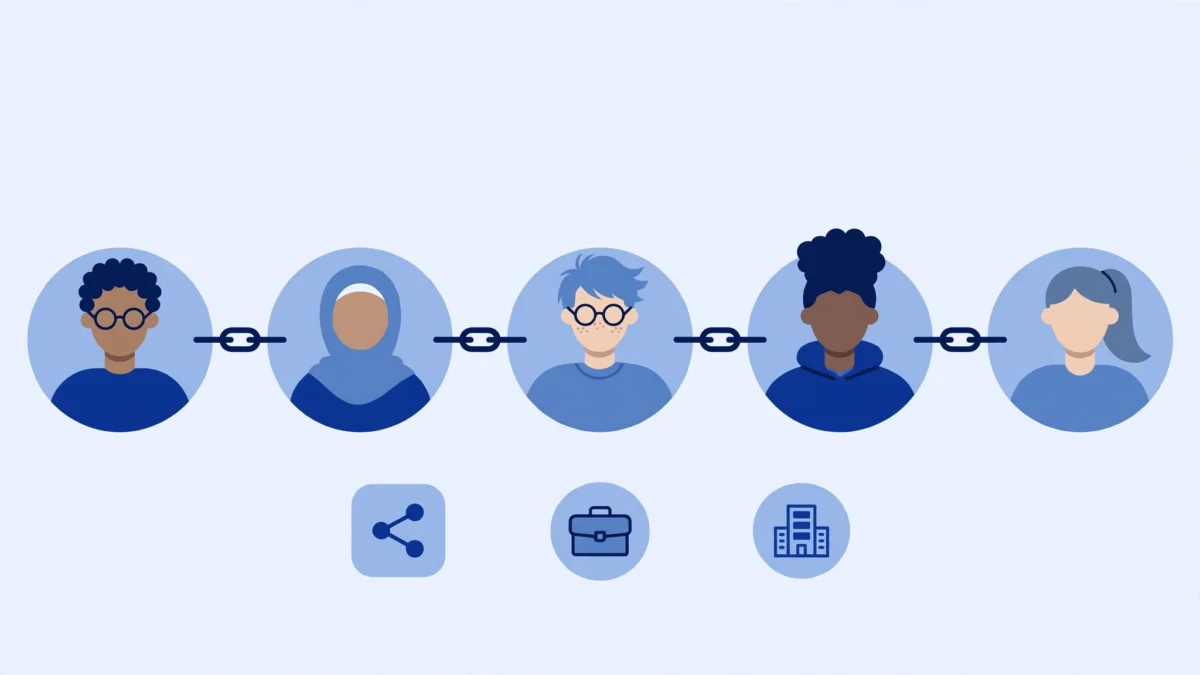
A profile creation sites list is a list of platforms where you can create a public profile for yourself or your brand, complete it with a photo, bio and website link, and use that profile as a consistent home for your brand across the web. When it is done properly, it helps people find you, helps search engines connect your brand across platforms, and gives a new website a clean, natural starting base. When it is done badly, with hundreds of empty profiles made in one day, it looks like spam and helps no one.
This guide gives you 60 free profile creation sites for 2026, explains what profile links can and cannot do, and shows you how to check link type and authority before you submit. Use it as a starter list, not as a bulk blasting list.
What Are Profile Creation Sites?
Profile creation sites are platforms that let you create a public profile page. A typical profile includes your name or brand name, a profile photo or logo, a short bio, your location or niche where relevant, and a website link. Social networks, portfolio sites, developer communities, publishing platforms and business directories all offer some form of profile.
The value is not just the link. A consistent profile across major platforms helps a brand look real. When someone searches your brand name, they can find the same name, photo and website in several places. That consistency supports what SEOs call brand entity signals, which means search engines can more easily understand that the profiles, the website and the content all belong to the same brand.
Profile creation is different from blog commenting, forum posting or directory submission, even though the lists sometimes overlap. In profile creation, the profile itself is the asset. You are not dropping a link into someone else’s article or comment thread. You are building a small, owned page on another platform.
Why Profile Links Still Help, and What They Cannot Do
Profile links still help in four specific ways. First, they add diversity. A new site that only has one type of link looks unnatural. A mix of profiles, content links and mentions looks more like a real brand growing over time. Second, they can help with discovery and indexing. A profile page on a large, frequently crawled platform can be found and indexed faster than a page on a brand new site with no links at all. Third, they can send referral traffic when the profile is genuinely useful, for example a portfolio, a GitHub profile or a publishing profile that people actually visit. Fourth, they support brand search. When your profiles rank for your brand name, they push down low quality or irrelevant results for that name.
What profile links cannot do is just as important. They will not, on their own, rank a competitive commercial keyword. They do not replace a strong article, a useful tool, a genuine mention from a relevant site, or a contextual link inside relevant content. Most profile links also do not pass the same ranking value as an editorial DoFollow link, because many platforms mark profile links as NoFollow or UGC, or they only show the website link after login. That does not make the profile useless. It means you should judge a profile by brand value, traffic potential and whether the page gets indexed, not only by whether the link is DoFollow.
If a list promises that every profile link is high DA and DoFollow, treat that claim with caution. DA is a third party metric, it changes, and it is not a Google ranking factor. Link attributes also change when a platform updates its rules. The safe habit is to check, not to assume.
How to Use This List Safely, Step by Step
1. Start with the platforms that fit your brand
Do not start at row 1 and work down the list in order. Pick 10 to 15 platforms that fit your niche first. A designer should prioritise portfolio sites. A developer should prioritise GitHub, GitLab and developer communities. A local business should prioritise business profiles. Relevance matters more than raw count.
2. Complete every profile before you move on
Use the same brand name everywhere, unless a platform requires a personal name. Add a clear photo or logo, a short bio in your own words, and your website link only where the platform allows it. An empty profile with only a link is the profile most likely to be ignored, removed or never indexed.
3. Add something useful where you can
Where a platform allows it, add one piece of real activity: a project, a post, a repository, a portfolio item or an answer. A profile with zero activity looks artificial. A profile with even one useful item looks like a real person or brand.
4. Build gradually
Do not create 60 profiles in one day, and never create hundreds in a week. A natural pace for a new brand is a small batch each week, for example 5 to 10 complete profiles per week, while you also publish content on your own site. Pacing protects the profiles from mass removal and looks like normal growth.
5. Use consistent, honest details
Use one main website link, usually your homepage, unless a platform clearly allows a specific landing page. Do not use misleading names, fake locations or copied bios. Consistency helps both users and search engines trust the profile.
How to Check Link Type and Authority Before Submitting
Before you count a profile as a backlink, check three things. First, open the public profile page in a browser while logged out. If the page requires login to see the website link, search engines and visitors may not see it the same way you do. Second, view the page source and search for your website URL. Look at the rel attribute next to it. If it says rel=”nofollow”, the link is marked NoFollow. If it says rel=”ugc”, it is marked as user generated content. If there is no rel attribute, it is a standard link on that page at that time, but the platform can change this later. Third, check whether the profile page itself is indexed. Search for the profile URL in Google, or use site: searches for the platform plus your brand name. An unindexed profile page gives you far less value than an indexed one.
For authority, check DA or a similar metric with a tool on the day you submit, and record the date and the tool you used. Do not copy an old DA number from a list and treat it as current. A platform can lose traffic, change its rules or close signups, and its metrics will move with it. If you cannot verify a site, keep it in the list as Check, not as a verified high DA or DoFollow site.
That is the standard used in the table below. Every row says Check before submitting. That is not a weakness of the list. It is the honest way to use a list in 2026, when platforms change their link rules often.
The List: 60 Free Profile Creation Sites
All links below open in a new tab and are marked NoFollow in this post, following the same practice used for list posts on this site. That does not change the link type on the target platform itself. Always check the profile page on the target site before you submit, as explained above. Start with the group that fits your brand, complete each profile, and track it using the method in the tracking section.
Social and Community
| SI | Site | Website | Type | Link Note |
|---|---|---|---|---|
| 1 | facebook.com | Social | Check before submitting | |
| 2 | instagram.com | Social | Check before submitting | |
| 3 | X | x.com | Social | Check before submitting |
| 4 | pinterest.com | Social | Check before submitting | |
| 5 | Tumblr | tumblr.com | Social | Check before submitting |
| 6 | reddit.com | Community | Check before submitting | |
| 7 | Threads | threads.net | Social | Check before submitting |
| 8 | Bluesky | bsky.app | Social | Check before submitting |
| 9 | TikTok | tiktok.com | Social | Check before submitting |
| 10 | Snapchat | snapchat.com | Social | Check before submitting |
| 11 | MeWe | mewe.com | Social | Check before submitting |
| 12 | VK | vk.com | Social | Check before submitting |
Professional and Business
| SI | Site | Website | Type | Link Note |
|---|---|---|---|---|
| 13 | linkedin.com | Professional | Check before submitting | |
| 14 | About.me | about.me | Personal profile | Check before submitting |
| 15 | Crunchbase | crunchbase.com | Business | Check before submitting |
| 16 | Wellfound | wellfound.com | Professional | Check before submitting |
| 17 | xing.com | Professional | Check before submitting | |
| 18 | Alignable | alignable.com | Business | Check before submitting |
| 19 | Bark | bark.com | Business | Check before submitting |
| 20 | Foursquare | foursquare.com | Business | Check before submitting |
| 21 | Trustpilot | trustpilot.com | Business | Check before submitting |
| 22 | Clutch | clutch.co | Business | Check before submitting |
Creative and Visual
| SI | Site | Website | Type | Link Note |
|---|---|---|---|---|
| 23 | Behance | behance.net | Portfolio | Check before submitting |
| 24 | Dribbble | dribbble.com | Portfolio | Check before submitting |
| 25 | DeviantArt | deviantart.com | Creative | Check before submitting |
| 26 | Flickr | flickr.com | Photo | Check before submitting |
| 27 | 500px | 500px.com | Photo | Check before submitting |
| 28 | Unsplash | unsplash.com | Photo | Check before submitting |
| 29 | ArtStation | artstation.com | Portfolio | Check before submitting |
| 30 | Pexels | pexels.com | Photo | Check before submitting |
| 31 | Zazzle | zazzle.com | Creative store | Check before submitting |
| 32 | Society6 | society6.com | Creative store | Check before submitting |
Tech and Developer
| SI | Site | Website | Type | Link Note |
|---|---|---|---|---|
| 33 | GitHub | github.com | Developer | Check before submitting |
| 34 | GitLab | gitlab.com | Developer | Check before submitting |
| 35 | Stack Overflow | stackoverflow.com | Developer | Check before submitting |
| 36 | CodePen | codepen.io | Developer | Check before submitting |
| 37 | Replit | replit.com | Developer | Check before submitting |
| 38 | Dev.to | dev.to | Developer | Check before submitting |
| 39 | Hashnode | hashnode.com | Developer | Check before submitting |
| 40 | HackerNoon | hackernoon.com | Tech publishing | Check before submitting |
| 41 | Product Hunt | producthunt.com | Tech | Check before submitting |
| 42 | Indie Hackers | indiehackers.com | Tech | Check before submitting |
Publishing and Content
| SI | Site | Website | Type | Link Note |
|---|---|---|---|---|
| 43 | Medium | medium.com | Publishing | Check before submitting |
| 44 | WordPress.com | wordpress.com | Publishing | Check before submitting |
| 45 | Gravatar | gravatar.com | Profile | Check before submitting |
| 46 | Quora | quora.com | Q and A | Check before submitting |
| 47 | Substack | substack.com | Publishing | Check before submitting |
| 48 | Blogger | blogger.com | Publishing | Check before submitting |
| 49 | Wattpad | wattpad.com | Publishing | Check before submitting |
| 50 | Goodreads | goodreads.com | Community | Check before submitting |
| 51 | SlideShare | slideshare.net | Publishing | Check before submitting |
| 52 | Issuu | issuu.com | Publishing | Check before submitting |
Video and Audio
| SI | Site | Website | Type | Link Note |
|---|---|---|---|---|
| 53 | YouTube | youtube.com | Video | Check before submitting |
| 54 | Vimeo | vimeo.com | Video | Check before submitting |
| 55 | SoundCloud | soundcloud.com | Audio | Check before submitting |
| 56 | Spotify | spotify.com | Audio | Check before submitting |
| 57 | Twitch | twitch.tv | Video | Check before submitting |
| 58 | Dailymotion | dailymotion.com | Video | Check before submitting |
| 59 | Rumble | rumble.com | Video | Check before submitting |
| 60 | Bandcamp | bandcamp.com | Audio | Check before submitting |
Mistakes to Avoid
- Creating bulk fake accounts with no photo, bio or activity. These profiles are the first to be removed.
- Using the exact same anchor text and bio everywhere. Vary the wording naturally while keeping the brand name consistent.
- Linking only to your homepage on every profile when a platform allows a relevant inner page or portfolio link. Mix homepage and one relevant inner page where allowed.
- Ignoring a platform’s rules. If a platform does not allow website links in profiles, do not force one in with tricks. Use the profile for brand presence instead.
- Expecting instant rankings. Profile links support a broader strategy. They do not replace useful content on your own site.
- Trusting an old list without checking. Platforms close signups, change link rules and change domains. Check the signup page and the public profile page before you count a site.
How to Track Your Profiles
Use a simple sheet with these columns: Date, Site, Username, Profile URL, Website Link Added, Link Attribute Found, Profile Indexed, Notes. Check the Indexed column again after 2 to 4 weeks. Keep the profiles that are complete and indexed, improve the ones that are incomplete, and remove the ones that were deleted or never published. A tracked list of 30 complete, indexed profiles is more useful than an untracked list of 300 empty ones.
For related link building methods on this site, see the High DA Blog Commenting Sites List. Blog commenting and profile creation work best together when both are done with complete, relevant activity, not as bulk submissions.
Frequently Asked Questions
Are profile creation sites still useful for SEO in 2026?
Yes, for brand consistency, link diversity and early discovery, but not as a standalone ranking strategy. Use them alongside useful content on your own site and relevant contextual links.
Are profile backlinks DoFollow or NoFollow?
It varies by platform and by page. Many profile links are NoFollow or UGC, and some platforms only show the link after login. Always check the rel attribute in the page source for the specific profile page before you label it.
How many profile links should I build per week?
For a new brand, a natural pace is 5 to 10 complete profiles per week, not hundreds at once. Complete each profile with a photo, bio and useful activity before moving to the next one.
Can profile links alone rank a new website?
No. Profile links can support indexing and brand signals, but competitive keywords need useful content, internal linking and relevant contextual links as well.
Do I need a different email and username for each profile?
No. Use one consistent brand identity where possible. A different fake identity on every platform looks artificial and is harder to manage and track.
How do I check if my profile link is indexed?
Open the public profile page while logged out, confirm the website link is visible, then search for the profile URL or your brand name plus the platform name. Recheck after 2 to 4 weeks, because indexing takes time.
Final Thoughts
A profile creation sites list is only useful if you can actually use it. A list of 2000 unverified rows looks impressive in a title, but it wastes the reader’s time with duplicates, broken links and false DoFollow claims. A list of 60 widely used platforms, grouped by type, with a clear check before submitting, is something a reader can finish, track and trust.
Start with 10 to 15 platforms that fit your brand, complete them properly, build gradually, and track what gets indexed. Then expand only to platforms that are relevant to your niche. That approach is slower than bulk submission, but it is the approach that still works in 2026.

SEO specialist with expertise in link building, backlink indexing, and search engine optimization. Contact: hellorashedzaman@gmail.com
Related Guides
How to Index Backlinks Fast
To index backlinks fast is a critical concern for any SEO professional or website owner looking to maximize their search engine visibility…
Why Backlinks Are Not Indexed
In the intricate world of search engine optimization, backlinks remain a cornerstone of organic visibility. However, a common frustration for SEO professionals…

120+ Free Guest Posting Sites List (2026 Updated) for High DA Backlinks
Building high-quality backlinks remains one of the most effective ways to boost your search rankings. Guest posting gives you access to authoritative…
1 Comment