
Discovered vs Indexed Difference
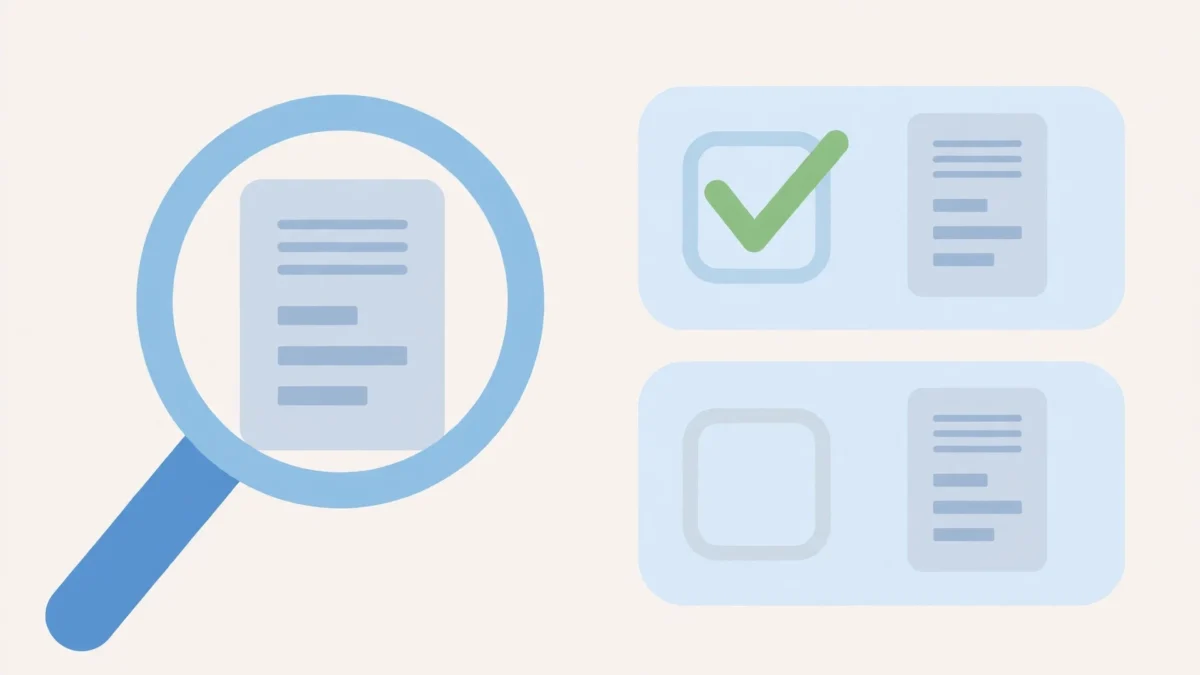
Understanding the Foundational Stages of Search Engine Processing
In the complex world of search engine optimization (SEO), understanding how search engines interact with your website content is paramount. Two distinct, yet often conflated, stages in this interaction are “discovery” and “indexing.” While both are critical for a page to appear in search results, they represent different phases of the search engine’s process. The Discovered vs Indexed Difference is not merely semantic; it holds significant implications for your website’s visibility and organic performance.
When a search engine bot, often called a spider or crawler, first encounters a page, it has “discovered” that page. This means the search engine knows the page exists and has a URL for it. However, discovery does not automatically mean the page has been processed, understood, or deemed worthy of being shown in search results. That second, more rigorous stage is “indexing,” where the content is analyzed, stored, and prepared for retrieval in response to user queries.
Ignoring the nuances of the Discovered vs Indexed Difference can lead to frustration for website owners and SEO professionals. Pages that are discovered but never indexed are essentially invisible to searchers, regardless of their quality or relevance. This post will clarify these distinctions, explore why pages get stuck in the “discovered but not indexed” limbo, and provide actionable strategies to ensure your valuable content moves efficiently through both crucial stages.
Deconstructing the Discovery Phase in Search Engines
The journey of any webpage towards potential visibility in search results begins with its discovery. This initial phase is about search engine crawlers finding the URL of your content. Without discovery, indexing cannot even begin, making it a foundational element of SEO.
A search engine’s primary objective during discovery is to build a comprehensive map of the internet. It constantly seeks out new pages, updates existing ones, and identifies defunct links. This process is continuous and highly automated, relying on various signals and pathways.
What “Discovered” Truly Means
When a page is reported as “discovered,” it signifies that a search engine’s crawler has encountered its URL. The crawler has added this URL to its queue for further processing, or it has attempted to access it. It indicates the search engine is aware of the page’s existence and location on the web.
Discovery can happen in several ways, and it doesn’t necessarily mean the content itself has been read or analyzed. It’s more akin to finding a new book in a library’s catalog; you know it exists, but you haven’t read its contents yet.
For webmasters, seeing a page marked as “Discovered” in reports like Google Search Console is a positive initial step, confirming that the page is not entirely hidden from the search engine’s view. However, it’s crucial to remember this is only the beginning of the journey.
How Search Engines Discover Content
Search engines employ multiple methods to uncover new and updated content across the vast expanse of the internet. These methods form the backbone of the discovery process, ensuring that virtually every publicly accessible page has a chance to be found.
Sitemaps
XML Sitemaps are one of the most direct ways to inform search engines about the pages on your site. These files, typically located at the root of your domain, list all the URLs you want search engines to crawl and consider for indexing. They act as a roadmap for crawlers.
Submitting an XML Sitemap through tools like Google Search Console or Bing Webmaster Tools greatly streamlines the discovery process, especially for new websites or those with complex structures. It helps crawlers efficiently locate pages that might otherwise be harder to find through other means.
Internal Links
The internal linking structure of your website is a powerful discovery mechanism. When one page on your site links to another, crawlers follow these links. A robust internal linking strategy ensures that all pages, particularly deep within your site, are connected and discoverable.
Without sufficient internal links, pages can become “orphan pages”-isolated content that crawlers struggle to find. Effective internal linking spreads link equity and clearly defines the hierarchy of your site, aiding both discovery and user navigation.
External Links (Backlinks)
Backlinks, or links from other websites to yours, are another significant source of discovery. When a search engine crawler encounters a link to your site on an external domain, it will often follow that link, leading it to discover your page.
High-quality backlinks from authoritative sites not only boost your page’s perceived authority but also serve as important entry points for crawlers. This is why link building remains a fundamental part of off-page SEO; it aids both discovery and subsequent indexing and ranking.
URL Submission
Search engines offer tools, like the URL Inspection Tool in Google Search Console, that allow webmasters to manually submit individual URLs for crawling. This can be particularly useful for new pages or updated content that you want to be discovered quickly.
While manual submission can expedite discovery for specific pages, it’s not a scalable solution for an entire website. It’s best used as a supplemental tactic for critical, time-sensitive content rather than a primary discovery method.
The Role of Crawling in Discovery
Crawling is the active process by which search engine bots follow links, read sitemaps, and access servers to download webpage content. It’s the execution phase of discovery. Once a URL is discovered, a crawler attempts to visit it.
During crawling, the bot interacts with your server, downloading the HTML, CSS, JavaScript, and other resources. This interaction is governed by your site’s `robots.txt` file, which dictates which parts of your site crawlers are allowed to access.
- Robots.txt: This file tells crawlers which sections of your site they can and cannot visit. Misconfigurations here can prevent discovery of critical pages.
- Server Response: If your server is slow, overloaded, or returns error codes (like 5xx errors), crawlers might struggle to access your content, hindering discovery.
- Crawl Budget: Search engines allocate a “crawl budget” to each site, which is the number of pages they are willing to crawl within a given timeframe. For very large sites, efficient internal linking and sitemap management are crucial to ensure all important pages are discovered within this budget.
Effective crawling is a prerequisite for discovery. If crawlers encounter persistent issues accessing your pages, those pages might be considered “discovered but not crawled effectively,” leading to delays or complete exclusion from the indexing process.
Decoding the Indexing Phase
Once a search engine has successfully discovered and crawled a page, the next pivotal step is indexing. This is where the actual analysis and storage of content occur, transforming raw webpage data into information that can be retrieved and ranked for user queries. The Discovered vs Indexed Difference becomes most apparent here; discovery is merely finding the book, indexing is reading, understanding, and filing it in the library.
Indexing is a far more involved process than discovery. It requires significant computational resources and sophisticated algorithms to process the vast amount of information gathered during crawling. This phase determines whether your content will ultimately have a chance to appear in search results.
What “Indexed” Signifies
A page is “indexed” when a search engine has successfully processed its content and added it to its vast database, known as the search index. This means the search engine has analyzed the page’s text, images, videos, and other elements, and has a good understanding of what the page is about.
Once indexed, the page becomes eligible to appear in search engine results pages (SERPs) for relevant queries. It’s the moment your content transitions from existing on your server to being a potential answer to a searcher’s question. Without indexing, even the most valuable content remains invisible.
The indexing process also involves associating the page with various keywords, topics, and entities. This rich understanding allows search engines to match indexed pages with user queries, even if the exact words aren’t present on the page.
The Journey from Crawl to Index
The path from a successfully crawled page to an indexed page involves several intricate steps, each designed to evaluate the content’s quality, relevance, and uniqueness.
Content Processing
After crawling, the search engine extracts all the text, analyzes images (through alt text and computer vision), and processes embedded videos. It identifies key phrases, entities, and the overall topic of the page. HTML tags, meta descriptions, and structured data (Schema markup) are also parsed to gain deeper context.
This stage is crucial for understanding the page’s semantic meaning and how it relates to potential search queries. The search engine builds a representation of the page, essentially summarizing its content for later retrieval.
Quality Assessment
Search engines prioritize high-quality, relevant content to provide the best user experience. During indexing, algorithms evaluate various quality signals. These include readability, comprehensiveness, originality, and the authority of the website.
Pages deemed low-quality, thin, or spammy are less likely to be indexed or might be indexed with a very low priority, making them difficult to rank. This quality assessment is a primary reason for the Discovered vs Indexed Difference, as many discovered pages fail to meet these quality thresholds.
De-duplication
A significant part of the indexing process involves identifying and handling duplicate content. Search engines strive to provide unique and valuable results for every query. If multiple pages on the internet (or even on the same site) contain identical or near-identical content, search engines will typically choose only one version to index and show in results.
Canonical tags (`rel=”canonical”`) are vital here. They tell search engines which version of a page is the preferred or original one, helping to consolidate signals and prevent issues caused by content duplication. Without proper canonicalization, a page might be discovered but not indexed because it’s seen as a duplicate of an already indexed page.
Factors Influencing Indexation
Several factors play a role in whether a page, once crawled, ultimately gets indexed. These go beyond mere technical accessibility and delve into the content’s intrinsic value and presentation.
- Content Quality and Relevance: Is the content unique, comprehensive, and helpful? Does it genuinely answer a user’s potential query? Pages with original insights and well-researched information are far more likely to be indexed.
- Noindex Directives: A “noindex” meta tag or X-Robots-Tag HTTP header explicitly tells search engines not to index a page. This is a common, often accidental, reason for a page being discovered but not indexed.
- Mobile-Friendliness: With mobile-first indexing, search engines primarily use the mobile version of your content for indexing and ranking. A poor mobile experience can hinder indexation.
- User Experience (UX): Fast loading times, ease of navigation, and overall site usability can indirectly influence indexation by affecting how crawlers perceive the site’s quality.
- Security (HTTPS): Secure websites using HTTPS are preferred by search engines. An insecure site might face indexation challenges, especially if it handles sensitive user data.
These factors combine to create a comprehensive picture of a page’s suitability for inclusion in the search index. Addressing them is key to overcoming the challenge of a page being stuck in the discovered but not indexed state.
The Critical Discovered vs Indexed Difference
The distinction between “discovered” and “indexed” is one of the most fundamental concepts in SEO, yet it’s often a source of confusion. Grasping this Discovered vs Indexed Difference is essential for effective website management and troubleshooting. It clarifies why some of your pages might not be appearing in search results despite your best efforts.
Essentially, discovery is about awareness, while indexing is about acceptance and understanding. A page must be discovered before it can be indexed, but discovery offers no guarantee of indexation.
Why Pages Are Discovered But Not Indexed
The most frustrating scenario for webmasters is when Google Search Console reports pages as “Discovered – currently not indexed.” This means the search engine knows the page exists and has likely crawled it, but it has chosen not to include it in its index. There are several common reasons for this:
- Low-Quality or Thin Content: The page offers little value, is too short, or lacks depth. Search engines prioritize unique, helpful, and comprehensive content.
- Duplicate Content: The page’s content is too similar or identical to another page already indexed, either on your site or elsewhere on the web, without proper canonicalization.
- Noindex Directive: A `meta robots` tag or `X-Robots-Tag` HTTP header is mistakenly set to `noindex`, explicitly preventing indexation.
- Crawl Budget Issues: For very large sites, search engines might not have enough crawl budget to revisit and fully process all discovered pages, especially those perceived as less important.
- Technical Issues: Persistent server errors, very slow loading times, or JavaScript rendering issues can prevent proper content processing, even if the URL was discovered.
- Orphan Pages: Pages with few or no internal links might be discovered (e.g., from a sitemap) but deemed less important or harder to access by crawlers, leading to lower indexation priority.
- Security Concerns: Pages flagged as potentially malicious or insecure might be discovered but deliberately not indexed to protect users.
Understanding these reasons is the first step in diagnosing and resolving indexation issues, moving your content from merely discovered to fully indexed.
Impact on SEO and Organic Visibility
The ultimate goal of SEO is to increase organic visibility, drawing traffic from search engines. Pages that are discovered but not indexed fail at this fundamental objective. The impact is direct and severe:
- Zero Organic Visibility: Unindexed pages cannot appear in search results, meaning they will not attract any organic traffic, regardless of how well they are optimized for keywords.
- Wasted Resources: Time, effort, and money spent creating, optimizing, and promoting content on an unindexed page are essentially wasted in terms of organic ROI.
- Incomplete Site Coverage: If significant portions of your site are discovered but not indexed, search engines have an incomplete picture of your website’s offerings and authority, potentially affecting the ranking of your indexed pages.
- Misleading Performance Metrics: Analytics reports might show traffic from other sources, masking the underlying issue of unindexed pages performing poorly in organic search.
Resolving the Discovered vs Indexed Difference for your critical pages is therefore paramount. It ensures that your valuable content has the opportunity to compete for visibility and contribute to your overall SEO success.
| Feature | Discovered | Indexed |
|---|---|---|
| Status | URL known to search engine | Content processed and stored in search index |
| Meaning | Search engine aware of page’s existence | Search engine understands page’s content and context |
| Visibility | Not visible in search results | Eligible to appear in search results |
| Prerequisite for Next Step | Required for crawling and indexing | Requires prior discovery and successful crawling |
| Common Causes for Status | Sitemap, internal links, backlinks, URL submission | Quality content, noindex absent, mobile-friendly, good UX |
| Why “Not Indexed” Occurs | No issues with finding the URL, just not processed further | Low quality, duplicate, noindex, technical errors preventing processing |
| SEO Impact | First step, no direct traffic benefit yet | Direct impact on organic traffic and visibility |
Practical Troubleshooting: When Discovery Doesn’t Lead to Indexation
One of the most common and frustrating scenarios for SEO professionals is observing pages listed as “Discovered – currently not indexed” in Google Search Console. This status indicates that search engine crawlers have found your page, but for some reason, they’ve decided not to include it in their index. Addressing this specific Discovered vs Indexed Difference is a critical troubleshooting task.
Effective troubleshooting requires a systematic approach, examining various potential causes ranging from content quality to technical configurations. Identifying the root cause is essential before implementing solutions.
Common Causes for `Discovered – Currently Not Indexed` Status
Understanding the reasons behind this status is the first step to resolving it. These issues often fall into distinct categories, each requiring a specific diagnostic and remedial approach.
Low-Quality Content
Search engines prioritize high-quality, valuable content that genuinely helps users. If a page is deemed “thin” (very little unique content), duplicated elsewhere, or offers poor user experience, it might be discovered but intentionally excluded from the index. Examples include auto-generated content, boilerplate text, or pages with minimal original writing.
Remedy: Enhance the content by adding more depth, originality, fresh perspectives, and comprehensive information. Ensure it truly addresses a user’s intent. Consolidate thin pages if necessary.
Technical Issues (Crawl Budget, Server Errors)
Even if a page’s URL is discovered, persistent technical problems can prevent successful crawling or processing. Server errors (5xx status codes), extremely slow loading times, or constant redirects can signal a poor user experience and hinder indexation. For very large sites, crawl budget limitations mean search engines might not have enough resources to revisit and index every discovered page, especially those perceived as less important.
Remedy: Monitor server health, optimize site speed, fix broken redirects, and ensure your `robots.txt` isn’t inadvertently blocking important pages. For large sites, optimize internal linking and sitemap structure to prioritize critical content.
Noindex Directives
Perhaps the most straightforward reason for a discovered page not being indexed is an explicit instruction telling search engines not to do so. This can be a `meta robots` tag (“) in the page’s HTML “ or an `X-Robots-Tag` in the HTTP response header.
Remedy: Use Google Search Console’s URL Inspection tool to check if a `noindex` tag is present. If it’s unintended, remove it. Remember, if a page is blocked by `robots.txt` AND has a `noindex` tag, the `noindex` tag cannot be seen by crawlers, making it difficult to detect.
Content Duplication
If a discovered page’s content is nearly identical to another page already in the search index (either on your site or another site), search engines will often choose to index only one version to avoid showing repetitive results. This can happen with e-commerce product pages that share descriptions or multiple URLs pointing to the same content (e.g., with and without trailing slashes, or different parameters).
Remedy: Implement canonical tags (“) to specify the preferred version of the content. Consolidate truly duplicate content where possible, or use the `noindex` tag intentionally on less important duplicate versions.
Orphan Pages
An orphan page is a page on your website that is not linked to by any other page within your site’s internal linking structure. While it might be discovered through a sitemap or a backlink, its isolation can signal to search engines that it’s not a central or important part of your site’s architecture.
Remedy: Build internal links from relevant, high-authority pages on your site to orphan pages. This helps crawlers discover them more easily and signals their importance within your site’s hierarchy.
Site Performance
Poor site performance, including slow Core Web Vitals (LCP, FID, CLS), can negatively impact indexation. While not a direct block, a persistently bad user experience signal can lower a page’s priority for indexing. If crawlers struggle to render a page correctly or if it takes too long, they might deprioritize it.
Remedy: Improve page loading speed, optimize images, leverage browser caching, and ensure your server can handle traffic efficiently. Regularly monitor Core Web Vitals reports in GSC.
Identifying and Diagnosing Problems in Google Search Console
Google Search Console (GSC) is an indispensable tool for diagnosing indexation issues. It provides direct insights into how Google perceives your site and specific pages.
- Coverage Report: Navigate to “Index” -> “Coverage.” Here, you’ll find an overview of your indexation status, including the “Discovered – currently not indexed” category. Click on it to see a list of affected URLs.
- URL Inspection Tool: For specific URLs, use the “URL Inspection” tool. Enter the URL of a page marked as “Discovered – currently not indexed.” This tool will tell you:
- If the URL is on Google (meaning it’s indexed) or not.
- If it was last crawled.
- If there are any `noindex` directives.
- Any crawl errors or rendering issues encountered by Googlebot.
- The canonical URL chosen by Google.
This is perhaps the most powerful tool for granular diagnosis of a specific page’s indexation status.
- Sitemaps Report: Check your Sitemaps report to ensure your XML sitemaps are submitted correctly and processed without errors. This helps confirm that discovery is happening as intended.
By leveraging these GSC reports, you can pinpoint specific issues contributing to the Discovered vs Indexed Difference for your content and develop targeted solutions.
Optimizing for Efficient Discovery and Indexation
Proactive optimization is far more effective than reactive troubleshooting. By implementing best practices for both crawlability and indexability, you can significantly reduce the incidence of pages being stuck in the “discovered but not indexed” state. The goal is to make it as easy as possible for search engines to find, process, and understand your content.
This approach involves a holistic view of your website, from its technical foundations to the quality of its content and user experience.
Enhancing Crawlability
Crawlability refers to how easily search engine bots can access and navigate your website. Good crawlability ensures that all your important pages are discovered and subsequently evaluated for indexing.
XML Sitemaps
Always maintain an accurate and up-to-date XML sitemap. Ensure it only includes pages you want indexed. Submit your sitemap to Google Search Console and Bing Webmaster Tools. For large sites, consider breaking your sitemap into multiple smaller sitemaps (sitemap indexes) to manage size and ensure quick processing.
Regularly review your sitemap for errors, broken links, or inclusion of pages that should not be public.
Internal Linking Strategy
Develop a logical and comprehensive internal linking structure. Every important page should be reachable within a few clicks from your homepage. Use descriptive anchor text that provides context about the destination page. Prioritize linking to your most valuable content from other relevant pages.
A strong internal link profile not only helps crawlers but also improves user navigation and distributes “link equity” across your site, boosting the authority of deeply linked pages.
robots.txt Management
Use your `robots.txt` file strategically. Ensure it doesn’t accidentally block crawlers from accessing important sections of your site. This file is for managing crawl access, not for preventing indexation (use `noindex` tags for that).
Regularly check your `robots.txt` for syntax errors or misconfigurations that could inadvertently hinder discovery or crawling. Use GSC’s `robots.txt` tester tool to verify its directives.
Site Speed
A fast-loading website significantly improves crawl efficiency. Search engine bots can crawl more pages in a given session if pages load quickly. Slow sites consume more crawl budget and can frustrate crawlers, potentially leading to fewer pages being processed.
Optimize images, minify CSS and JavaScript, leverage browser caching, and use a reliable hosting provider. Aim for Core Web Vitals that are within the “good” thresholds.
Improving Indexability
Indexability focuses on whether your content, once crawled, is deemed suitable for inclusion in the search index. This largely revolves around content quality, technical markup, and user experience signals.
Content Quality and Uniqueness
This is arguably the most crucial factor. Every page you want indexed should offer unique, valuable, and comprehensive content. It should genuinely answer user questions, provide insights, or solve a problem. Avoid thin content, copied text, or keyword stuffing.
Focus on creating evergreen, authoritative content that positions your site as a trustworthy resource within your niche.
Mobile-Friendliness
With mobile-first indexing, search engines predominantly use the mobile version of your website for indexing and ranking. Ensure your site is fully responsive, loads quickly on mobile devices, and provides an excellent mobile user experience. Test your pages using Google’s Mobile-Friendly Test tool.
Any issues with mobile rendering or usability can negatively impact indexation and overall SEO performance.
User Experience (UX) Signals
While not a direct indexing factor, positive UX signals (like low bounce rates, high time on page, and good Core Web Vitals) can indirectly influence a page’s perceived quality and importance. Search engines aim to surface pages that users find engaging and helpful.
Design for clarity, ease of navigation, and visual appeal. Ensure your content is easy to read and consume.
Schema Markup
Implementing structured data (Schema markup) helps search engines better understand the context and content of your pages. This can be particularly useful for articles, products, local businesses, FAQs, and reviews. While not a direct indexing factor, it helps search engines process your content more accurately and can lead to rich results in SERPs, enhancing visibility.
Use Google’s Rich Results Test tool to validate your Schema implementation.
Security (HTTPS)
Using HTTPS for your website is a ranking signal and a foundational element of trust. Search engines prefer secure sites, and an insecure connection can hinder indexation or deter users. Ensure your entire site is served over HTTPS.
Having a secure site builds user confidence and provides a more stable environment for crawlers to access your content.
- Regularly audit for broken links, duplicate content, and `noindex` tags.
- Prioritize pages with high commercial intent or significant informational value.
- Monitor server logs for crawl errors and unusual activity.
- Keep your content fresh and updated to signal relevance to search engines.
- Use a CDN (Content Delivery Network) to improve global site speed and crawlability.
Advanced Scenarios and Nuances
While the core Discovered vs Indexed Difference often boils down to basic technical and content quality issues, there are more advanced scenarios and nuanced considerations that can affect indexation, especially for larger websites or those operating in competitive niches. Understanding these can provide a deeper insight into potential challenges.
Handling Large Websites and Crawl Budget
For websites with thousands or millions of pages, crawl budget becomes a critical consideration. Search engines won’t crawl every page on massive sites daily. They allocate a “crawl budget” based on factors like site authority, update frequency, and server capacity. If your important pages are not crawled frequently enough, they might be discovered but remain unindexed or experience delays in updates.
Strategies for large sites:
- Prioritize with Sitemaps: Use multiple sitemaps to highlight priority sections of your site.
- Optimize `robots.txt`: Block crawlers from less important sections (e.g., internal search result pages, filtered category pages) to conserve crawl budget for valuable content.
- Improve Internal Linking: Ensure a deep and logical internal linking structure to spread authority and guide crawlers.
- Maintain Site Speed & Server Health: A fast, reliable server allows crawlers to process more pages efficiently within their allocated budget.
- Handle Faceted Navigation: Properly manage URL parameters and faceted navigation to prevent the creation of infinite URLs that waste crawl budget and create duplicate content issues.
The Impact of Core Web Vitals on Indexing
Core Web Vitals (Largest Contentful Paint, First Input Delay, Cumulative Layout Shift) are user experience metrics that Google incorporates into its ranking algorithms. While they are primarily ranking factors, a consistently poor performance on these metrics can indirectly affect indexation prioritization. If a page offers a terrible user experience, search engines might deprioritize its indexing, or it might struggle to establish sufficient quality signals for inclusion.
It’s an indirect but important link: good Core Web Vitals contribute to overall page quality, which in turn supports robust indexation.
Discovered – Not Indexed Due to “Soft 404” or “Thin Content”
Google Search Console often reports pages as “Discovered – currently not indexed” due to “soft 404” errors or “thin content.”
- Soft 404: This occurs when a page returns a 200 OK status code (meaning the page exists) but the content on the page clearly indicates it’s an error page or has no meaningful content. For example, a blank page or a “page not found” message that incorrectly sends a 200 status. Google recognizes these and will not index them.Remedy: Ensure actual 404 errors return a 404 or 410 HTTP status code. For content that genuinely exists, ensure it has meaningful content.
- Thin Content: Similar to low-quality content, thin content lacks substance. This includes pages with very few words, pages consisting mostly of images with no descriptive text, or pages with minimal unique value. Google might discover these pages but choose not to index them to maintain the quality of its search results.Remedy: Expand, enrich, and combine thin content. Focus on providing comprehensive answers and genuine value to users.
Manual Actions and De-indexation
In rare but serious cases, a website or specific pages might be subject to a “manual action” from Google. This happens when a human reviewer finds that your site violates Google’s Webmaster Guidelines (e.g., spam, cloaking, pure spam). A manual action can lead to partial or complete de-indexation, meaning previously indexed pages are removed from the search index.
While not strictly a “discovered vs not indexed” issue, it’s a critical reason why pages might disappear from the index. Monitoring the “Manual actions” report in GSC is essential. Addressing manual actions requires significant effort to rectify the violations and submit a reconsideration request.
Advanced Considerations for Indexation
- JavaScript SEO: Modern websites often rely heavily on JavaScript for content rendering. Ensure your JavaScript is crawlable and renderable by search engines. Use GSC’s URL Inspection tool (Test Live URL) to see how Googlebot renders your page.
- Internationalization (Hreflang): For sites targeting multiple languages or regions, correct implementation of `hreflang` tags is vital to ensure the correct version of a page is indexed for the appropriate audience.
- User-Generated Content: If your site hosts UGC (forums, comments), manage it carefully to prevent spam, low-quality contributions, or malicious content from being discovered and indexed, which could negatively affect your site’s overall quality perception.
Tools and Reports to Monitor Discovered vs Indexed Status
Effective monitoring is crucial for maintaining a healthy website and ensuring your content gets the visibility it deserves. Several tools and reports provide valuable insights into the Discovered vs Indexed Difference, helping you identify and resolve issues proactively.
Regularly checking these reports should be a standard part of any SEO audit or ongoing website maintenance routine.
Google Search Console’s Coverage Report
The “Coverage” report in Google Search Console (GSC) is your primary resource for understanding how Google is discovering and indexing your pages. It provides a comprehensive overview of your site’s indexation status, categorizing URLs into various states:
- Errors: Pages that Google tried to index but encountered an error (e.g., server error, 404).
- Valid with warnings: Pages that are indexed but have minor issues.
- Valid: Pages that are successfully indexed.
- Excluded: Pages that Google has chosen not to index, often with specific reasons provided (e.g., “Discovered – currently not indexed,” “Crawled – currently not indexed,” “Page with redirect,” “Noindex by ‘noindex’ tag”).
Focusing on the “Excluded” section, specifically “Discovered – currently not indexed” and “Crawled – currently not indexed,” will help you pinpoint pages that are failing to make it into the index after being found. Clicking on these categories provides a list of affected URLs and often a sample of why they are excluded.
URL Inspection Tool
When you encounter a specific page that isn’t indexing, the GSC “URL Inspection” tool is invaluable. This tool allows you to:
- Check Google’s Index Status: See if the URL is currently indexed by Google.
- View Last Crawl Date: Determine when Google last visited the page.
- Detect Indexing Issues: Identify if there are any `noindex` directives, `robots.txt` blocks, or other issues preventing indexation.
- Test Live URL: Perform a real-time test of how Googlebot sees and renders your page, checking for mobile usability, `robots.txt` blocking, and other potential issues.
- Request Indexing: For newly published or significantly updated pages, you can manually request indexing, prompting Googlebot to crawl and process the page sooner.
This tool is essential for drilling down into the specifics of a page’s indexation journey, offering granular detail beyond what the broader Coverage report provides.
Bing Webmaster Tools
While Google dominates the search market, Bing is still a significant player, and its Webmaster Tools offer similar functionalities to GSC. Monitoring Bing’s perspective on your site’s discovery and indexation is also important. Key reports include:
- Site Explorer: Provides an overview of indexed URLs, crawl errors, and excluded URLs.
- URL Inspection: Similar to GSC, this tool allows you to check the status of individual URLs.
- Sitemaps: Monitor sitemap submissions and processing.
- Crawl Control: Offers more direct control over Bingbot’s crawl rate.
Consistent performance across both Google and Bing helps ensure maximum organic visibility.
Third-Party SEO Tools
Various third-party SEO tools integrate with GSC data or perform their own crawling to provide additional insights:
- Site Auditing Tools (e.g., Screaming Frog, Ahrefs, SEMrush): These tools can crawl your website and identify technical issues like broken links, `noindex` tags, duplicate content, and orphaned pages that might be hindering discovery or indexation. They can highlight discrepancies between what you expect to be indexed and what search engines are actually doing.
- Log File Analyzers: By analyzing your server’s log files, you can see exactly when and how often search engine bots visit your site. This helps you understand crawl patterns and identify if certain sections are being under-crawled.
Combining data from these tools with GSC allows for a more comprehensive diagnosis of indexation problems and a better understanding of the Discovered vs Indexed Difference on your site.
| Metric | Description | Primary Tool | Why it Matters |
|---|---|---|---|
| Indexed Pages Count | Total number of pages successfully added to the search index. | GSC Coverage Report | Direct indicator of your site’s overall visibility. Trend analysis is key. |
| Discovered – Not Indexed | Pages known to search engines but not included in the index. | GSC Coverage Report | Highlights potential quality or technical barriers to indexation. |
| Crawled – Not Indexed | Pages that were crawled but still not indexed. | GSC Coverage Report | Often points to content quality, duplication, or specific `noindex` issues. |
| Sitemap Errors | Issues with your XML sitemap processing. | GSC Sitemaps Report | Can prevent discovery of new or updated pages. |
| Crawl Errors (Server/URL) | Errors encountered by bots when trying to access your pages. | GSC Coverage Report, Log Files | Directly impacts crawlability and subsequent indexation. |
| `noindex` Directives | Presence of `noindex` meta tags or HTTP headers. | GSC URL Inspection, Site Audit Tools | Intentional or unintentional blocks preventing indexation. |
| Site Speed/Core Web Vitals | Page load performance and user experience metrics. | GSC Core Web Vitals, PageSpeed Insights | Indirectly affects indexation priority and overall quality signals. |
Common Misconceptions and Pro Tips
Navigating the intricacies of search engine processing can be challenging, and several misconceptions often arise regarding the Discovered vs Indexed Difference. Clarifying these and offering practical advice can help webmasters and SEOs optimize their sites more effectively.
Misconception 1: “Discovered means it will be indexed soon.”
Reality: While discovery is the first step, it is by no means a guarantee of indexation. As explored, many factors can prevent a discovered page from ever being indexed. A page can sit in the “discovered – currently not indexed” state indefinitely if issues like low quality, `noindex` tags, or severe technical problems persist.
Pro Tip: Don’t assume discovery equals indexation. Actively monitor the “Index Coverage” report in Google Search Console, specifically looking at the “Excluded” section, and use the URL Inspection tool for individual pages you expect to be indexed.
Misconception 2: “Submitting a sitemap guarantees indexation.”
Reality: A sitemap is an excellent tool for discovery, providing search engines with a clear roadmap of your site’s important URLs. However, it does not bypass the quality and technical checks required for indexation. Search engines will still evaluate the content, check for `noindex` tags, and assess overall page quality before adding it to the index.
Pro Tip: Use sitemaps as a discovery aid, but combine them with strong internal linking, high-quality content, and robust technical SEO. A sitemap tells search engines “these pages exist,” but your content and technical foundation tell them “these pages are worth indexing.”
Misconception 3: “Blocking a page with `robots.txt` also prevents it from being indexed.”
Reality: This is a common and potentially damaging misconception. `robots.txt` prevents crawlers from *accessing* a page, but it does *not* prevent it from being indexed if search engines find links to that page elsewhere. If a page is linked extensively and blocked by `robots.txt`, Google might still index the URL and show it in search results, often without a title or snippet, leading to a poor user experience. This is known as “indexed, though blocked by robots.txt.”
Pro Tip: To prevent a page from being indexed, use a `noindex` meta tag or `X-Robots-Tag` HTTP header. For sensitive content you want completely hidden, also password-protect it or remove it entirely from public access.
Pro Tip 1: Prioritize high-value pages.
Don’t get bogged down trying to index every single page on your site, especially for large e-commerce sites or those with extensive filters. Focus your efforts on pages that genuinely drive traffic, conversions, or provide significant informational value. Use internal linking and sitemaps to signal the importance of these pages. It’s better to have 100 high-quality, indexed pages than 1000 thin, discovered-but-not-indexed pages.
Pro Tip 2: Regularly audit your site.
SEO is not a “set it and forget it” endeavor. Conduct regular technical SEO audits (at least quarterly, more frequently for active sites) to identify new `noindex` tags, crawl errors, site speed issues, and content quality degradation that could impact indexation. Tools like Screaming Frog, Ahrefs, and SEMrush can automate much of this process.
Pro Tip 3: Understand user intent for your content.
Beyond technical fixes, ensure your content truly aligns with user intent. Search engines strive to deliver the best possible answer to a user’s query. If your discovered page doesn’t meet that intent or is simply not as good as competing content, it will struggle to get indexed and rank. Consistently produce high-quality, user-focused content to improve your chances of robust indexation.
- Implement structured data: Help search engines understand your content better for potential rich results.
- Monitor inbound links: Be aware of who is linking to you, as these links aid discovery.
- Consider canonicalization carefully: Prevent duplicate content issues by explicitly telling search engines your preferred URLs.
Wrap Up
The journey from a newly created webpage to appearing in search engine results is a multi-stage process, with “discovery” and “indexing” representing two distinct yet interdependent phases. Understanding the Discovered vs Indexed Difference is fundamental for anyone aiming to improve their website’s organic visibility.
Discovery is the initial awareness, the search engine knowing your page exists. Indexing is the critical next step, where your content is processed, understood, and deemed worthy of inclusion in the vast database that powers search results. Pages that are discovered but not indexed are essentially invisible to searchers, nullifying efforts in content creation and optimization.
By proactively optimizing for crawlability through efficient sitemaps and internal linking, and by prioritizing indexability through high-quality content, mobile-friendliness, and sound technical practices, you empower your website to move seamlessly through these stages. Regular monitoring with tools like Google Search Console is crucial to identify and rectify issues, ensuring your valuable content reaches its full potential in search.

SEO specialist with expertise in link building, backlink indexing, and search engine optimization. Contact: hellorashedzaman@gmail.com
Related Guides

Indexing vs Ranking Explained
When diving into the world of search engine optimization (SEO), two terms frequently surface: indexing and ranking. While often used interchangeably by…

Crawled vs Indexed Explained
When striving for online visibility, understanding how search engines discover and process your website content is paramount. Two fundamental concepts, often used…
How Google Indexing Works Step by Step
The vast expanse of the internet is a complex web of information, and finding what you need within it can feel like…
0 Comments