
What Is Indexing in SEO
What Is Indexing in SEO: The Core Concept
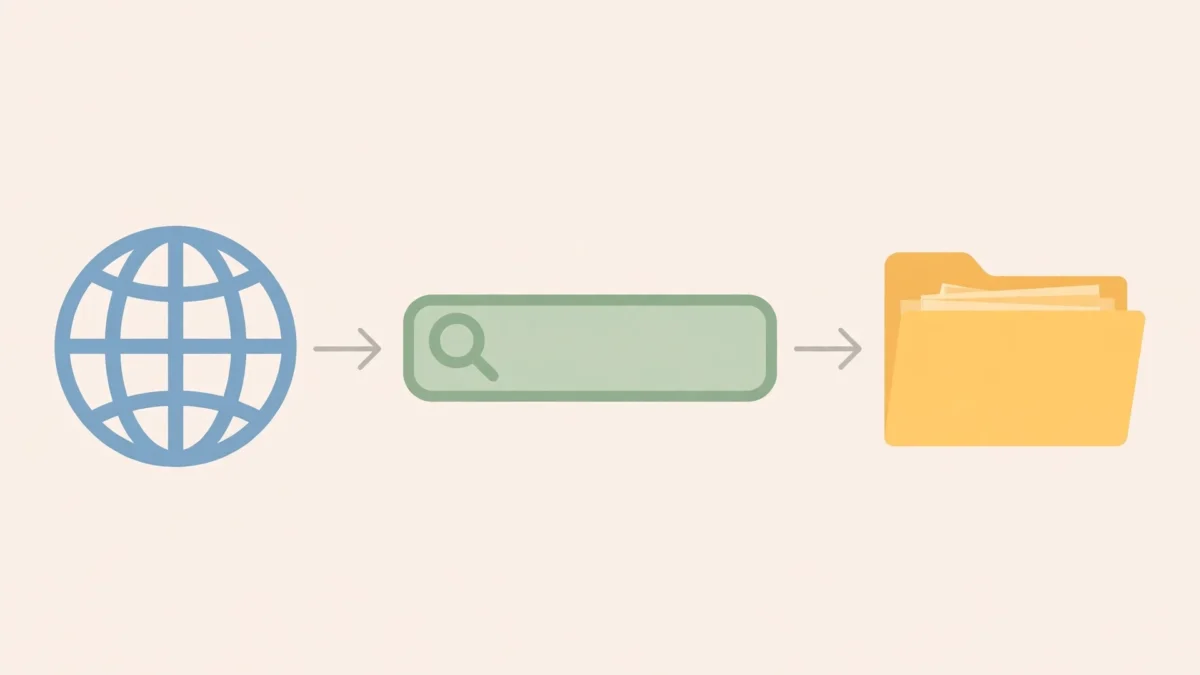
Indexing in SEO is the fundamental process through which search engines like Google and Bing organize and store information about web pages. When a search engine indexes a page, it adds that page to its massive database, making it eligible to appear in search results.
Without indexing, a web page effectively does not exist to a search engine. It’s the critical step that allows your content to be discovered by users who are searching for relevant information online.
Think of the search engine’s index as an enormous digital library. For a book to be found by a reader, it first needs to be cataloged and placed on a shelf within the library. Similarly, for a web page to be found by a searcher, it must first be added to the search engine’s index.
How Search Engines Discover Content (Crawling)
Before a page can be indexed, search engines must first find it. This discovery process is known as crawling. Search engine bots, often called spiders or crawlers, systematically browse the web, following links from one page to another.
When a crawler visits a page, it reads the content, noting keywords, images, videos, and other elements. It also looks for new links on that page to follow and discover even more content.
The efficiency of this crawling process directly impacts whether your pages are discovered and subsequently indexed. Pages that are difficult to crawl often face indexing issues.
- Initial Discovery: Crawlers first find new pages through sitemaps, backlinks from other websites, or internal links within your own site.
- Following Links: Once on a page, crawlers follow all hyperlinks, both internal and external, to find more pages.
- Re-crawling: Search engines frequently re-crawl known pages to check for updates or new content, ensuring their index is fresh.
What Happens After Crawling
Once a search engine crawler has visited a web page and gathered its content, the data doesn’t immediately go into the index. Instead, it undergoes a complex processing phase.
During this phase, the search engine analyzes the page’s content, structure, and various attributes. It tries to understand what the page is about, its main topics, and its overall quality.
This understanding is crucial for correctly categorizing the page and determining its relevance for future searches. It’s more than just storing text; it’s about making sense of the content.
Why Indexing Matters for SEO
Indexing is the gateway to search engine visibility. If your pages are not indexed, they cannot rank for any search queries, regardless of how high-quality or relevant your content might be.
Effective SEO strategies always prioritize ensuring that important pages are easily discoverable and eligible for indexing. Without this foundational step, all other SEO efforts become irrelevant.
A well-indexed site means that a search engine has a comprehensive understanding of your content. This allows it to present your pages to users for a wider range of relevant searches, driving organic traffic.
- Visibility: Indexed pages are the only ones that can appear in search results.
- Traffic: No indexing means no organic search traffic from that page.
- Authority Building: A well-indexed site with relevant, high-quality content helps establish domain authority over time.
- Competitive Edge: Ensuring your key pages are indexed quickly can give you an advantage over competitors whose pages might be overlooked.
The Indexing Process: A Step-by-Step Breakdown
Understanding the intricate process of indexing can help webmasters and SEO professionals optimize their sites more effectively. It’s not a single event but a multi-stage operation involving various search engine systems.
Each step is critical, and a failure at any stage can prevent a page from being indexed or appearing correctly in search results. Optimizing for each stage can significantly improve your site’s search visibility.
This breakdown illustrates why a holistic approach to SEO, encompassing technical, on-page, and off-page factors, is essential for successful indexing.
Step 1: Crawling – Discovering Your Content
The first stage involves search engine bots, known as spiders or crawlers, discovering and visiting web pages. These bots act like internet explorers, systematically navigating the web.
They start from a seed set of known URLs and follow links to find new pages, adding them to a queue for processing. This continuous exploration ensures that the search engine’s understanding of the web remains current.
If a page is never crawled, it can never be indexed. Therefore, making your content easily discoverable by crawlers is paramount.
Crawl Budgets and Efficiency
Every website has a “crawl budget,” which is the number of pages a search engine bot will crawl on a site within a given timeframe. This budget is influenced by factors like site size, page quality, and site authority.
For large websites, optimizing crawl budget is crucial. You want crawlers to spend their limited time on your most important pages, not on outdated, low-value, or duplicate content.
Inefficient crawling can lead to important new content being discovered slowly or not at all, directly impacting its indexing and potential for ranking.
Tools for Crawling Control (robots.txt, sitemaps)
Webmasters have tools to guide search engine crawlers. The `robots.txt` file is a text file located in your site’s root directory that tells crawlers which parts of your site they can or cannot access.
While `robots.txt` can prevent crawling, it does not guarantee that a page won’t be indexed if it’s linked from elsewhere. For preventing indexing, a `noindex` meta tag is more reliable.
XML sitemaps, on the other hand, provide a list of all the important pages on your site that you want search engines to crawl and index. They act as a roadmap for crawlers, especially useful for large sites or sites with complex structures.
- XML Sitemaps:
- Lists URLs you deem important.
- Helps crawlers discover new and updated content efficiently.
- Provides metadata about pages, like last modification date.
- robots.txt:
- Controls which areas of your site crawlers should or should not visit.
- Prevents unnecessary crawling of internal search results, admin pages, or low-value content.
- Does not prevent indexing if pages are linked externally.
Step 2: Processing and Understanding Content
After a page is crawled, the search engine doesn’t just store the raw HTML. It processes the content to understand its meaning, context, and quality. This phase is highly sophisticated and involves advanced algorithms.
The search engine renders the page, executes JavaScript, and analyzes all visible and hidden content. It extracts keywords, identifies topics, and evaluates various SEO signals.
This deep understanding allows the search engine to accurately categorize the page and match it with relevant user queries later on.
Rendering Web Pages
Modern web pages often rely heavily on JavaScript to display content. Search engines like Google now render web pages much like a browser does, executing JavaScript to see the final, user-facing content.
This rendering process ensures that content generated client-side is also considered for indexing. However, complex or slow-loading JavaScript can sometimes hinder proper rendering and, consequently, indexing.
Optimizing for efficient rendering means ensuring that critical content is available early in the page load and that JavaScript doesn’t block the main thread for too long.
Extracting Key Information
During processing, search engines extract a multitude of data points from the page. This includes headings, body text, images, videos, structured data (schema markup), and internal/external links.
They also analyze factors like page load speed, mobile-friendliness, and security (HTTPS). All this information is used to build a comprehensive profile of the page.
The quality and relevance of this extracted information directly impact how the page is categorized and its potential to rank for specific queries.
Step 3: Storing in the Index
Once processed, the relevant information about the web page is added to the search engine’s index. This index is a massive, organized database containing billions of web pages.
The indexed data isn’t just a copy of the page; it’s a highly structured representation optimized for fast retrieval. When a user performs a search, the search engine queries this index to find matching results.
Successfully making it into this index is the ultimate goal of the crawling and processing phases.
The Search Engine Index Database
The index is not a simple list; it’s a complex, distributed database. It stores various attributes for each page, such as its content, keywords, links, titles, descriptions, and other metadata.
This allows search engines to quickly retrieve and rank pages based on a multitude of factors when a search query is entered. The efficiency of this database is critical for delivering fast and accurate search results.
Maintaining such a vast and dynamic database requires immense computational power and sophisticated data management techniques.
Categorization and Organization
As pages are added to the index, they are categorized and organized based on their content, topics, and perceived relevance. This categorization helps the search engine quickly identify relevant pages for specific queries.
For example, a page about “beginner guitar lessons” will be associated with various related terms and categories, allowing it to be surfaced when someone searches for “learn guitar online” or “first guitar chords.”
Proper categorization is essential for effective ranking, as it ensures that the right pages are considered for the right search intents.
Critical Factors Influencing Indexing
Many elements contribute to whether a page gets indexed and how quickly. Understanding these factors allows webmasters to proactively optimize their sites for better indexability.
These factors range from the structural design of your website to the quality of your content and specific technical directives you implement. Overlooking any of these can lead to indexing challenges.
A holistic approach ensures that search engines can not only find your content but also understand its value and deem it worthy of inclusion in their index.
Website Architecture and Navigation
A well-structured website makes it easy for search engine crawlers to discover all your important pages. A clear, logical navigation hierarchy ensures that crawlers can follow links from the homepage to deeper content.
Flat architectures, where most pages are only a few clicks from the homepage, are generally preferred. Deeply buried pages are less likely to be crawled frequently, if at all.
Internal linking plays a significant role here, distributing “link juice” and guiding crawlers through your site. A robust internal link structure ensures no important page is an orphan.
- Logical Structure: Organize your content into clear categories and subcategories.
- Clear Navigation: Use user-friendly menus, breadcrumbs, and internal links.
- Shallow Hierarchy: Aim for important pages to be accessible within 3-4 clicks from the homepage.
Content Quality and Uniqueness
Search engines prioritize indexing high-quality, original, and valuable content. Pages that offer unique insights, comprehensive information, or satisfy a specific user intent are more likely to be indexed and rank well.
Low-quality content, such as thin content, duplicate content, or content solely created for keyword stuffing, is often deprioritized or even completely ignored by indexers. Such pages consume crawl budget inefficiently.
Focus on creating content that genuinely helps your audience. This not only aids indexing but also builds authority and user engagement.
Technical SEO Elements
Technical SEO plays a direct role in controlling how search engines crawl and index your site. These elements are specific directives or configurations that guide search engine bots.
Misconfigurations in these areas are a common cause of indexing issues. Regular audits of these technical aspects are essential for maintaining good indexability.
Correct implementation ensures that search engines respect your indexing preferences and allocate crawl resources appropriately.
Canonical Tags
Canonical tags (`<link rel=”canonical” href=”…”>`) are used to tell search engines which version of a page is the preferred one when multiple versions exist. This prevents duplicate content issues.
For example, if `example.com/page` and `example.com/page?sessionid=abc` display the same content, a canonical tag on the latter pointing to the former ensures only the preferred URL is indexed.
Without canonicalization, search engines might waste crawl budget on duplicate pages and dilute their authority across multiple URLs, potentially hindering indexing for your intended main page.
Meta Robots Tags (noindex)
The `meta robots` tag is an HTML snippet placed in the “ section of a web page. It provides instructions to search engine robots about how to crawl or index the page.
The most common directive for indexing control is `noindex`. A page with “ will be crawled but explicitly prevented from being added to the search engine’s index.
This is useful for pages you don’t want to appear in search results, such as privacy policies, login pages, or thank-you pages, while still allowing crawlers to discover links on them (if `nofollow` isn’t also used).
XML Sitemaps
As mentioned before, XML sitemaps serve as a guide for search engines, listing all the important URLs on your site you want them to crawl and index. Submitting an up-to-date sitemap helps ensure that all critical pages are known to search engines.
They are particularly beneficial for new websites, large websites, or sites with many isolated pages that might not be easily discoverable through regular link following.
Sitemaps can also indicate the last modification date of pages, signaling to search engines when content might need re-crawling.
Robots.txt File
The `robots.txt` file is located at the root of your domain and instructs search engine crawlers which directories or files they are allowed or disallowed to access. It manages crawl budget by preventing crawlers from visiting unimportant sections of your site.
While `robots.txt` prevents crawling, it does not prevent indexing if other sites link to the disallowed page. Search engines might still list the URL in search results, sometimes without a description, if they discover it through links.
For definitive indexing prevention, the `noindex` meta tag or `X-Robots-Tag` HTTP header is required.
Page Speed and Mobile-Friendliness
Page speed and mobile-friendliness are not just ranking factors; they also indirectly influence indexing. Search engines prefer to crawl and index fast-loading, mobile-friendly pages because they offer a better user experience.
Slow pages can exhaust crawl budget faster, leading to fewer pages being crawled on your site. Non-mobile-friendly pages might be de-prioritized in the mobile-first index.
Google’s mobile-first indexing means that the mobile version of your site is primarily used for indexing and ranking. Ensuring your mobile site is performant and accessible is therefore critical.
Backlinks and Authority
Backlinks from high-authority websites signal to search engines that your content is valuable and trustworthy. These links not only pass “link juice” (PageRank) but also serve as discovery pathways for crawlers.
The more quality backlinks a page receives, the more frequently it might be crawled and the higher its chances of being indexed. Strong backlinks boost your site’s overall authority, which can positively impact the indexing of all your pages.
Building a natural backlink profile is a long-term SEO strategy that supports both indexing and ranking efforts.
Common Indexing Issues and How to Troubleshoot Them
Despite best efforts, websites can encounter various indexing problems. Identifying and resolving these issues quickly is crucial for maintaining search visibility.
Indexing problems often stem from technical errors, content quality issues, or misconfigurations that prevent search engines from discovering or processing pages correctly.
Regular monitoring and auditing of your site’s indexing status can help catch these problems before they significantly impact your organic traffic.
Pages Not Being Indexed
This is arguably the most common and frustrating indexing issue. If your pages aren’t showing up in search results, it means they haven’t been added to the search engine’s index.
There are several reasons why a page might not be indexed, and diagnosing the root cause requires systematic investigation. This includes checking various technical and content-related factors.
A quick check in Google Search Console’s URL Inspection tool can often reveal the specific reason a page is not indexed.
Blocked by robots.txt
If your `robots.txt` file disallows crawlers from accessing a specific page or directory, those pages will not be crawled. As a result, they cannot be indexed.
It’s important to review your `robots.txt` regularly to ensure you’re not inadvertently blocking important content. Use the `robots.txt Tester` in Google Search Console to verify your directives.
Remember, a `robots.txt` disallow does not prevent indexing if the page is linked heavily from external sources; it only prevents crawling.
Noindex Tag Present
A `meta name=”robots” content=”noindex”` tag in the “ section of your HTML explicitly tells search engines not to index the page. This is a common oversight when pages are under development or meant to be private.
Check the source code of any unindexed page for the presence of this tag. Sometimes, CMS plugins or themes can automatically add `noindex` to certain page types.
Also check for the `X-Robots-Tag: noindex` HTTP header, which can also prevent indexing. This is common for non-HTML files like PDFs or dynamically generated content.
Low Quality or Duplicate Content
Search engines strive to provide the best possible results. Pages with thin content, low-quality content, or content that is substantially similar to other pages (duplicate content) may be de-prioritized or even omitted from the index.
While duplicate content might occasionally be indexed, it often leads to what’s known as “content cannibalization,” where search engines struggle to pick the authoritative version, or simply choose not to index either.
Focus on creating unique, valuable, and comprehensive content that genuinely serves user intent to avoid this issue.
Crawl Errors
Crawl errors occur when search engine bots encounter problems accessing your pages, such as 404 (Not Found) or 5xx (Server Error) responses. These errors prevent pages from being crawled and therefore indexed.
Monitoring the “Coverage” report in Google Search Console is essential for identifying crawl errors. Address 404s with 301 redirects to relevant existing pages where appropriate, or confirm they should indeed be 404s.
Server errors often indicate underlying hosting or server configuration problems that need immediate attention.
Lack of Internal/External Links
Pages that are not linked to from any other page on your site (orphan pages) or from any external websites are very difficult for search engine crawlers to discover.
Even if you submit a sitemap, a page with no internal or external links signals to search engines that it might not be important. This can lead to slow or no indexing.
Ensure all important pages have a logical place within your site’s internal link structure and aim to earn quality backlinks to key content.
Slow Indexing
Sometimes pages are eventually indexed, but the process takes an unusually long time. This can delay the appearance of new content in search results, impacting its timely visibility.
Factors contributing to slow indexing include low domain authority, inefficient crawl budget allocation, server response times, and the sheer volume of content on your site.
Optimizing your site for crawlability and providing clear signals to search engines can help speed up the indexing process.
Incorrect Pages Indexed
This issue occurs when search engines index an unintended version of a page (e.g., a development version, a parameter-laden URL, or a duplicate). This can dilute ranking signals and confuse users.
Incorrect indexing often points to canonicalization issues, missing `noindex` tags on staging sites, or misconfigured URL parameters in Search Console.
Regularly check your indexed pages using `site:yourdomain.com` searches and the “Coverage” report in Search Console to catch unintended indexation.
De-indexing
Pages can also be removed from the search engine’s index, either intentionally or unintentionally. Intentional de-indexing happens when you add a `noindex` tag or remove the page.
Unintentional de-indexing can occur due to sudden quality drops, severe technical issues (like prolonged server errors), or the page being perceived as duplicate or spam. Manual actions from search engines can also lead to de-indexing.
Monitoring your traffic and Search Console reports for sudden drops in indexed pages or warnings is crucial for detecting de-indexing events.
Hacked Content Indexing
A particularly dangerous indexing issue is when a site is hacked, and spammy or malicious content gets indexed. This can severely damage your site’s reputation and search rankings.
Hackers often create hidden pages or inject spammy keywords that get indexed, leading to your site appearing for irrelevant or harmful queries.
Regular security scans, strong passwords, and promptly cleaning up hacked content are essential. Use the Security Issues report in Search Console to identify and address such problems.
Tools and Resources for Monitoring Indexing
Effective monitoring is key to ensuring your pages are indexed correctly and efficiently. Search engines provide free tools that are indispensable for webmasters and SEOs.
These tools offer insights into how search engines perceive your site, identify potential issues, and track your site’s performance in search results.
Leveraging these resources should be a routine part of any SEO strategy, allowing for proactive problem-solving and optimization.
Google Search Console
Google Search Console (GSC) is a free web service by Google that helps webmasters monitor their site’s presence in Google Search results. It’s the primary tool for diagnosing and resolving indexing issues specific to Google.
GSC provides a wealth of information, from crawl statistics to indexing status and potential manual actions. Every website owner should have their site verified in GSC.
Regularly checking GSC reports can alert you to problems before they significantly impact your organic traffic.
Coverage Report
The “Coverage” report in GSC is one of the most critical for indexing. It shows you which pages on your site Google has indexed, which ones it tried to index but encountered issues, and which ones it excluded (and why).
This report categorizes pages into “Error,” “Valid with warning,” “Valid,” and “Excluded.” Understanding these categories and the reasons for exclusion is vital for troubleshooting.
Drilling down into specific error types provides actionable insights into what needs to be fixed on your site.
Sitemaps Report
The “Sitemaps” report allows you to submit your XML sitemaps to Google and monitor their status. It shows if Google has successfully processed your sitemap and how many URLs from the sitemap have been indexed.
This report is crucial for ensuring that Google is aware of all the pages you want it to crawl and index. It also flags any issues with your sitemap file itself.
Always submit updated sitemaps after significant changes to your site’s structure or content.
URL Inspection Tool
The URL Inspection tool in GSC allows you to retrieve the latest indexing information for any specific URL on your site. You can check if a URL is indexed, request indexing for a new or updated page, and see if there are any indexing errors.
This tool is invaluable for debugging individual page indexing problems. It can show you if Google could crawl the page, whether it found a `noindex` tag, or if there were rendering issues.
The “Test Live URL” feature simulates a Googlebot crawl and render, providing real-time insights into how Google sees your page.
Bing Webmaster Tools
Similar to Google Search Console, Bing Webmaster Tools (BWT) provides insights into your site’s performance in Bing search results. While Google dominates the market, Bing still holds a significant share, making BWT important for comprehensive SEO.
BWT offers reports on indexing, crawl errors, sitemaps, and keyword performance specific to Bing. Many functionalities mirror those in GSC.
It’s advisable to set up and monitor both GSC and BWT to cover the major search engines.
Third-Party SEO Tools
Several third-party SEO tools, such as Screaming Frog SEO Spider, Ahrefs, Semrush, and Sitebulb, offer comprehensive site audits that include indexing analysis. These tools can crawl your site like a search engine bot and identify issues like broken links, orphan pages, duplicate content, and `noindex` tags.
While GSC and BWT provide direct data from the search engines, third-party tools offer a different perspective and often more in-depth technical auditing capabilities.
They can help you preemptively identify potential indexing problems before search engines even report them.
Here’s a quick reference table comparing key indexing tools:
| Tool | Primary Use Case | Key Features for Indexing | Cost |
|---|---|---|---|
| Google Search Console | Monitoring Google index status and performance | Coverage Report, Sitemaps, URL Inspection Tool | Free |
| Bing Webmaster Tools | Monitoring Bing index status and performance | Index Explorer, Crawl Errors, Sitemaps | Free |
| Screaming Frog SEO Spider | Technical SEO site audit | Identifies noindex tags, canonicals, crawl depth, broken links | Free (up to 500 URLs) / Paid |
| Ahrefs / Semrush | Comprehensive SEO suite (competitive analysis, content audit) | Site Audit (identifies indexability issues), monitors backlink health | Paid |
Optimizing Your Website for Better Indexing
Proactive optimization is far more effective than reactive troubleshooting when it comes to indexing. By implementing best practices, you can significantly improve the chances of your pages being discovered and indexed efficiently.
These optimization strategies cover various aspects of your website, from technical configuration to content creation and link building. A consistent approach across all these areas yields the best results.
The goal is to make it as easy as possible for search engines to find, understand, and trust your content.
Ensure Crawlability
The first step to good indexing is ensuring that search engine bots can access all the important pages on your site. Review your `robots.txt` file to ensure it’s not blocking any essential content.
Check for internal broken links and redirect chains, as these can hinder crawlers. Ensure your site structure is logical and easy to navigate for both users and bots.
Use an SEO crawler tool to simulate a search engine’s visit to your site and identify any crawlability issues.
Provide Clear Sitemaps
Create and submit an XML sitemap that includes all the canonical URLs you want indexed. Ensure your sitemap is up-to-date and free of errors (like broken links or `noindex` pages).
For large sites, consider splitting your sitemap into smaller sitemaps (e.g., by content type or date) and using a sitemap index file. This helps manage very large lists of URLs.
Submit your sitemaps to Google Search Console and Bing Webmaster Tools.
Manage Your robots.txt
Use your `robots.txt` file strategically to guide crawlers, not block indexation. Disallow crawling of low-value pages (e.g., internal search results, admin dashboards, duplicate content that you can’t canonicalize).
Avoid disallowing CSS, JavaScript, or image files that are critical for rendering the page’s content correctly. Search engines need to render your page to understand it properly.
Regularly test your `robots.txt` file using tools provided by search engines to prevent accidental blocking of important content.
Control Indexing with Meta Tags
Use the `noindex` meta tag (or `X-Robots-Tag` HTTP header) to explicitly prevent specific pages from being indexed. This is ideal for pages that offer no search value but must remain accessible to users (e.g., privacy policy, terms and conditions, thank you pages, staging sites).
Always double-check that you haven’t accidentally applied a `noindex` tag to pages you want to rank. This is a common and often overlooked indexing error.
Combine `noindex` with `nofollow` if you also want to prevent crawlers from following links on that specific page.
Address Duplicate Content
Identify and resolve duplicate content issues across your site. Use canonical tags to specify the preferred version of a page when multiple versions exist (e.g., `www` vs. `non-www`, `HTTP` vs. `HTTPS`, URLs with tracking parameters).
Implement 301 redirects for old or redundant URLs that point to their new, canonical counterparts. This consolidates link equity and tells search engines which version to index.
Avoid creating multiple pages with nearly identical content; instead, consolidate and enrich existing pages.
Improve Site Speed and Mobile Usability
Optimize your site for fast loading times across all devices. This not only improves user experience but also allows crawlers to process more pages within your crawl budget.
Ensure your site is fully mobile-responsive and renders correctly on various screen sizes. Given mobile-first indexing, a poor mobile experience can hinder indexing and ranking.
Use tools like Google PageSpeed Insights and Lighthouse to identify and fix performance bottlenecks.
Build Internal Links
Develop a robust internal linking strategy. Link from high-authority pages to new or important pages you want indexed. This helps crawlers discover content and passes PageRank throughout your site.
Use descriptive and keyword-rich anchor text for internal links. This helps search engines understand the context of the linked page.
Ensure no important pages are “orphan pages” – pages with no internal links pointing to them.
Generate Quality Backlinks
Earn high-quality backlinks from reputable and relevant external websites. Backlinks serve as discovery pathways for crawlers, helping them find new content on your site.
More importantly, backlinks signal authority and importance to search engines, which can encourage more frequent crawling and faster indexing of your pages.
Focus on natural link building through creating valuable content that others want to cite and share.
Regular Content Updates
Search engines tend to re-crawl and re-index active websites more frequently. Regularly updating existing content or publishing new, high-quality content signals that your site is fresh and valuable.
This encourages crawlers to visit your site more often, leading to quicker indexing of new pages and updates.
Don’t just update for the sake of it; ensure updates are meaningful and improve the content’s quality or relevance.
The Relationship Between Indexing, Ranking, and Visibility
While often discussed together, indexing and ranking are distinct but interconnected processes within SEO. Understanding their relationship is crucial for a complete grasp of search engine optimization.
Indexing is a prerequisite for ranking, and both contribute directly to a website’s overall search visibility. One cannot happen without the other.
A strong SEO strategy must address all three elements effectively to achieve maximum impact.
Indexing as a Prerequisite
As established, indexing is the foundational step. If a web page is not included in a search engine’s index, it simply cannot appear in search results for any query, regardless of its quality or relevance.
Think of it like being an athlete in a competition. You must first register (be indexed) to even be allowed on the field. Without registration, you can’t compete (rank).
Therefore, ensuring your content is properly indexed should always be the first priority in your SEO efforts for any new or updated page.
Ranking Factors Post-Indexing
Once a page is indexed, it becomes eligible to rank. Ranking is the process by which search engines determine the order in which indexed pages appear for a specific search query.
This ordering is based on hundreds of complex ranking factors, which include relevance to the query, content quality, user experience signals (like page speed, mobile-friendliness), site authority, backlinks, internal links, and freshness, among many others.
A page can be indexed but still rank poorly if it doesn’t meet the criteria for top positions for a given keyword.
- Relevance: How well the page’s content matches the search query.
- Authority: The perceived trustworthiness and expertise of the page and domain, often measured by backlinks.
- Quality: Depth, comprehensiveness, originality, and accuracy of the content.
- User Experience: Page load speed, mobile-friendliness, ease of navigation, and layout.
- Freshness: For certain queries, more recent content is preferred.
Visibility and User Experience
Visibility is the ultimate goal, encompassing both indexing and ranking. It refers to how often your website appears in search results and how prominently it ranks for relevant keywords.
A site with excellent indexing and high rankings for many keywords will have high visibility. This translates directly into more organic traffic and potential customers.
Search engines continuously refine their algorithms to improve the user experience, meaning that pages that are well-indexed, rank highly, and also provide an excellent user experience are the ones that succeed in the long run.
Advanced Indexing Concepts
Beyond the basics, there are more nuanced aspects of indexing that can be critical for large, complex, or highly dynamic websites. Understanding these advanced concepts can help overcome specific challenges and maximize efficiency.
These areas often involve deeper technical considerations and require a more granular approach to managing how search engines interact with your content.
Addressing these can differentiate your site’s indexing performance, especially in competitive niches.
Crawl Budget Optimization Revisited
While previously mentioned, crawl budget optimization becomes paramount for very large sites (millions of pages) or sites with rapidly changing content. For such sites, efficiently directing crawlers is not just about avoiding issues but about ensuring critical updates are indexed quickly.
Techniques include identifying and blocking parameter URLs that generate duplicate content, consolidating pagination pages with canonicals, and cleaning up internal link structures to prioritize important content paths.
Monitoring server log files can provide detailed insights into how search engine bots are interacting with your site, revealing crawl patterns and potential inefficiencies.
JavaScript and Dynamic Content Indexing
The rise of JavaScript-heavy frameworks (React, Angular, Vue) introduced new complexities for indexing. Traditionally, search engines primarily processed static HTML. With modern rendering capabilities, they now execute JavaScript to see the “fully hydrated” page.
However, this rendering process is resource-intensive and can introduce delays or errors if not optimized. If JavaScript takes too long to load or encounters errors, the content might not be fully visible to the crawler.
Solutions include server-side rendering (SSR), static site generation (SSG), or hybrid approaches like “hydration” to ensure critical content is available in the initial HTML response or quickly rendered.
International SEO and Hreflang Indexing
For websites targeting multiple languages or regions, international SEO introduces specific indexing considerations. The `hreflang` attribute is crucial here, telling search engines about the different language/region versions of a page.
Correct `hreflang` implementation helps search engines index the correct localized version of a page for users in different countries or speaking different languages, preventing duplicate content issues across international versions.
Incorrect `hreflang` can lead to the wrong page being indexed for a specific audience, negatively impacting user experience and search performance.
Understanding Google’s Indexing Systems (Briefly)
Google’s indexing systems are not monolithic. Historically, various updates and core algorithm changes have refined how content is processed and stored. While the specifics are proprietary, understanding the evolution highlights the complexity.
Updates like Caffeine improved the freshness of the index, allowing faster indexing of new content. Later systems like Hummingbird focused on understanding conversational queries, impacting how content is categorized.
More recently, advancements in AI (RankBrain, BERT, MUM) further enhance Google’s ability to understand natural language and complex search intents, influencing how deeply content is analyzed and indexed for semantic relevance.
These systems underscore that indexing is not just about presence but about deep comprehension of content’s meaning and context.
Quick Reference: Indexing Do’s and Don’ts
To summarize best practices and common pitfalls, here’s a quick reference table for optimizing your site for search engine indexing. Following these guidelines can significantly improve your chances of getting your content discovered and properly stored by search engines.
This list provides actionable advice that can be applied to most websites, regardless of size or industry. Consistent application of these principles is key to long-term success.
Prioritize the “Do’s” and actively work to avoid the “Don’ts” to maintain a healthy index status.
| Do’s for Good Indexing | Don’ts for Bad Indexing |
|---|---|
| DO provide an accurate and up-to-date XML sitemap. | DON’T block important CSS/JS files with robots.txt. |
| DO ensure your site has a clear, logical internal linking structure. | DON’T put `noindex` on pages you want to rank. |
| DO create high-quality, unique, and valuable content. | DON’T have excessive duplicate content without canonicalization. |
| DO optimize for fast page load times and mobile-friendliness. | DON’T leave broken links or redirect chains on your site. |
| DO use canonical tags for duplicate or similar content versions. | DON’T have important pages with no internal or external links (orphan pages). |
| DO check Google Search Console regularly for indexing errors. | DON’T rely solely on `robots.txt` to prevent indexing. Use `noindex` for that. |
| DO earn quality backlinks to important pages. | DON’T let your server frequently return 5xx errors to crawlers. |
| DO publish or update content consistently to signal activity. | DON’T neglect schema markup; it helps search engines understand content. |
Final Thoughts
Indexing is the foundational pillar of SEO, without which all other optimization efforts become moot. It’s the critical first step that brings your content into the search engine’s ecosystem, making it visible to potential users.
While the process is complex, understanding the basic principles of crawling, processing, and storing content empowers you to optimize your website effectively. Focus on making your site discoverable, accessible, and valuable.
Regular monitoring, adherence to best practices, and a proactive approach to addressing technical issues are key to ensuring your content is properly indexed and poised for success in search results.

SEO specialist with expertise in link building, backlink indexing, and search engine optimization. Contact: hellorashedzaman@gmail.com
Related Guides

Indexing vs Ranking Explained
When diving into the world of search engine optimization (SEO), two terms frequently surface: indexing and ranking. While often used interchangeably by…
Discovered vs Indexed Difference
Understanding the Foundational Stages of Search Engine Processing In the complex world of search engine optimization (SEO), understanding how search engines interact…

Crawled vs Indexed Explained
When striving for online visibility, understanding how search engines discover and process your website content is paramount. Two fundamental concepts, often used…
1 Comment